Headlights and lampsライトを点ける
Press L for the headlights. The brake and reverse lamps work by themselves.L でヘッドライトが点きます。ブレーキランプとバックランプは自動で点きます。
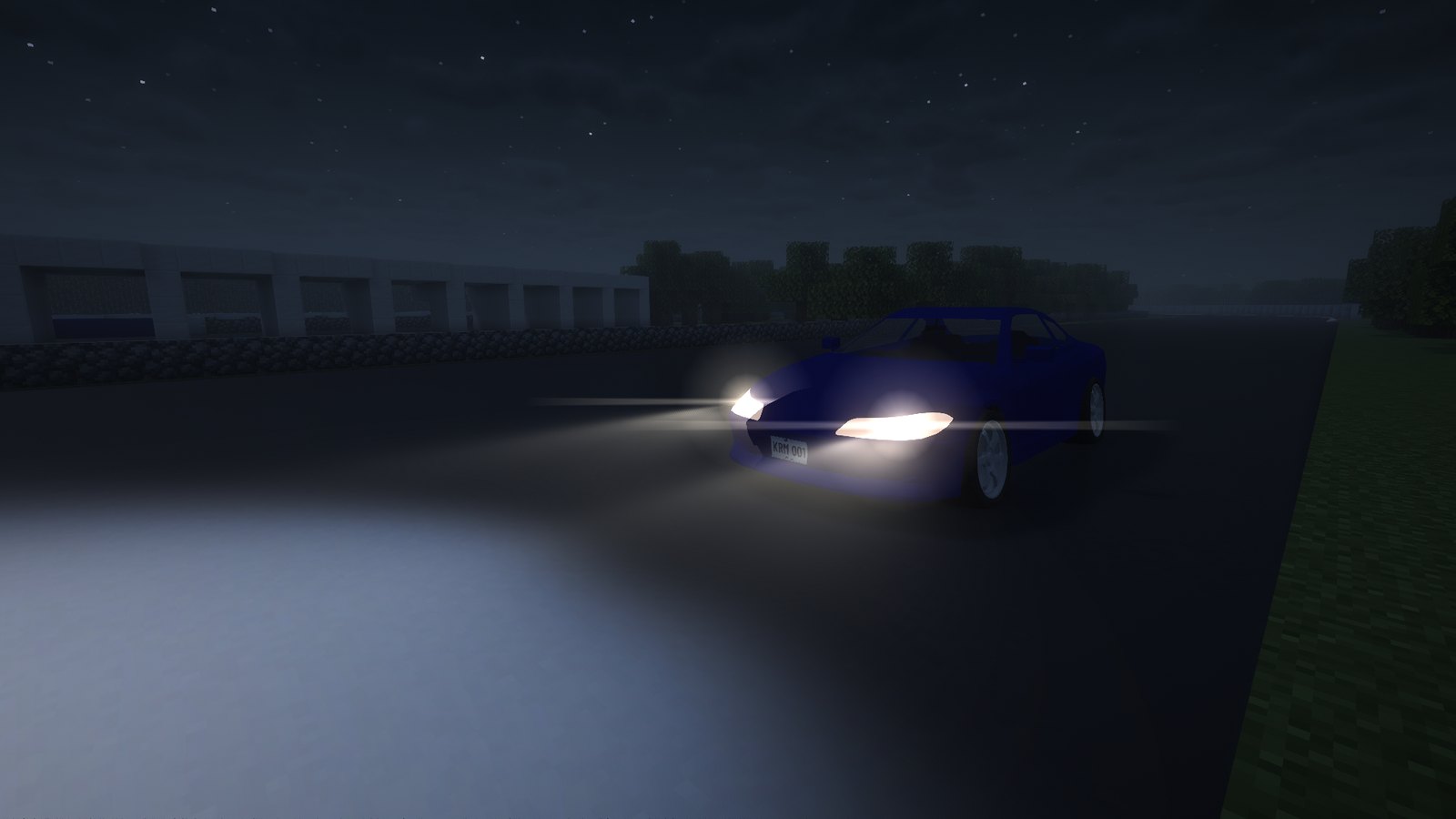
WHICH LAMP LIGHTS WHENどのランプがいつ点くか
| Lampランプ | Whenいつ |
|---|---|
| Headlightsヘッドライト | While switched on with LL で入れている間 |
| Tail lamps尾灯 | Dimly, while the headlights are onヘッドライトが点いている間、うっすらと |
| Brake lampsブレーキランプ | Whenever you brake, with or without the headlightsブレーキを踏んだとき(ヘッドライトに関係なく) |
| Reverse lampsバックランプ | While the gear is in Rギアが R のとき |
| Plate lampナンバー灯 | Lights the rear plate while the headlights are onヘッドライトが点いている間、後ろのナンバーを照らす |
GOOD TO KNOW覚えておくこと
RELATED関連
Headlight settingsライトの調整
Aim, brightness, colour and range of the headlights, as you see them.光軸、明るさ、色、届く距離を、自分の見え方として決めます。
HOW TO OPEN開き方
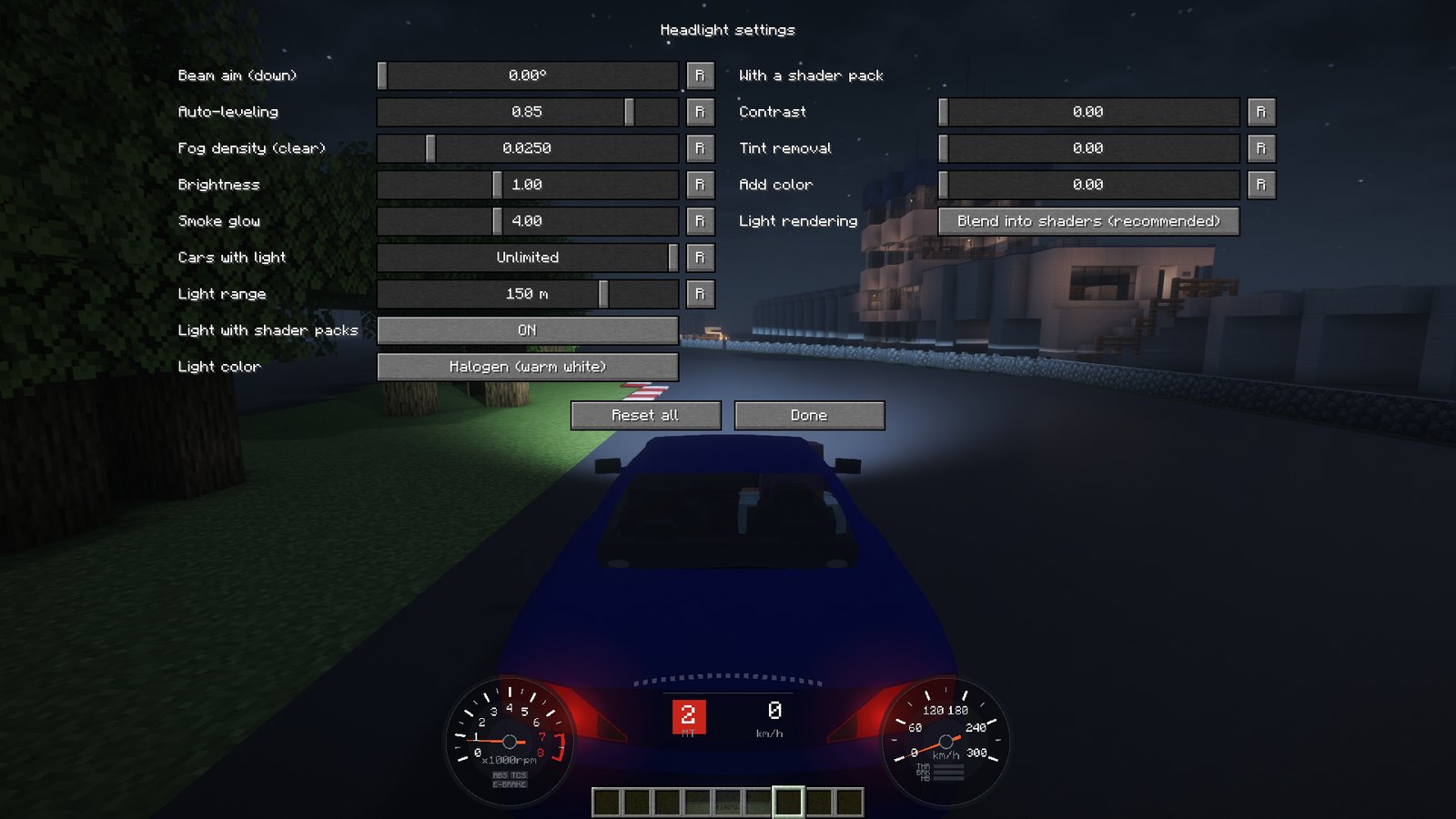
SETTINGS項目
| Setting項目 | Range範囲 | Default初期 | What it changes変わること |
|---|---|---|---|
| Beam aim (down)光軸の下向き | 0–4°0〜4 度 | 0°0 度 | Higher lights the road closer to the car大きいほど手前を照らす |
| Auto-levelingオートレベライザー | 0–10〜1 | 0.85 | How much the beam stays level when the car dives or squatsブレーキや加速で車が傾いても、光を水平に保つ強さ |
| Fog density (clear)霧の濃さ(晴れ) | 0–0.150〜0.15 | 0.025 | Thicker fog shows the beams more, but they reach less far濃いほど光の筋がはっきり見えるが、遠くへ届かない |
| Brightness明るさ | 0–2.50〜2.5 | 1.0 | The light on the road and the beams路面の光と光の筋の両方 |
| Smoke glow煙の光り方 | 0–100〜10 | 4.0 | How brightly tyre smoke and dust glow in the beams光の中のタイヤの煙と土煙の明るさ |
| Cars with light光を描く台数 | 1–10, unlimited1〜10・無制限 | Unlimited無制限 | How many nearby cars light the road. Fewer is lighter.路面を照らす車の数(近い順)。少ないほど軽い |
| Light range光の届く距離 | 16–192 m16〜192m | 150 m150m | Nothing is lit beyond this. Shorter is lighter.これより遠くは照らさない。短いほど軽い |
| Light color光の色 | 5 choices5 種類 | Halogenハロゲン | Halogen, white, HID, LED or yellowハロゲン・白・HID・LED・イエロー |
Each row has an R button to return it to the default.どの行にも、初期の値へ戻す R のボタンがあります。
GOOD TO KNOW覚えておくこと
RELATED関連
Switch the cameraカメラを切り替える
F5 switches between the cockpit and the outside view. V changes how that view follows the car.F5 で運転席と車外を切り替えます。V で、その視点が車を追う動きを変えます。
CAMERA MODESカメラモード
| View視点 | Modeモード | How it moves動き |
|---|---|---|
| Cockpit運転席 | Follow (default)追従(初期) | Moves with the body and looks where the car points車体と一緒に揺れ、車の向きを見る |
| Cockpit運転席 | Level水平維持 | Keeps the view level. Easier if the motion makes you queasy.視線を水平に保つ。揺れで酔う人向け |
| Cockpit運転席 | Free自由 | Moves with the body, but looks where your mouse points車体と一緒に揺れるが、マウスで向けた方を見る |
| Outside車外 | Follow (default)追従(初期) | Swings gently between where the car points and where it goes, so you see the car sideways in a drift車の向きと進む向きの間をゆっくり追う。ドリフト中は横を向いた車が見える |
| Outside車外 | Locked to the car車体向き固定 | Stays behind the car. The mouse moves it up and down only.いつも車の真後ろ。マウスで動くのは上下だけ |
| Outside車外 | Free自由 | Does not follow. You aim it with the mouse.追わない。マウスで向きを決める |
GOOD TO KNOW覚えておくこと
RELATED関連
Camera settingsカメラの調整
Set how far, how high and how lively the camera is.カメラの距離・高さ・動きの大きさを決めます。
HOW TO OPEN開き方
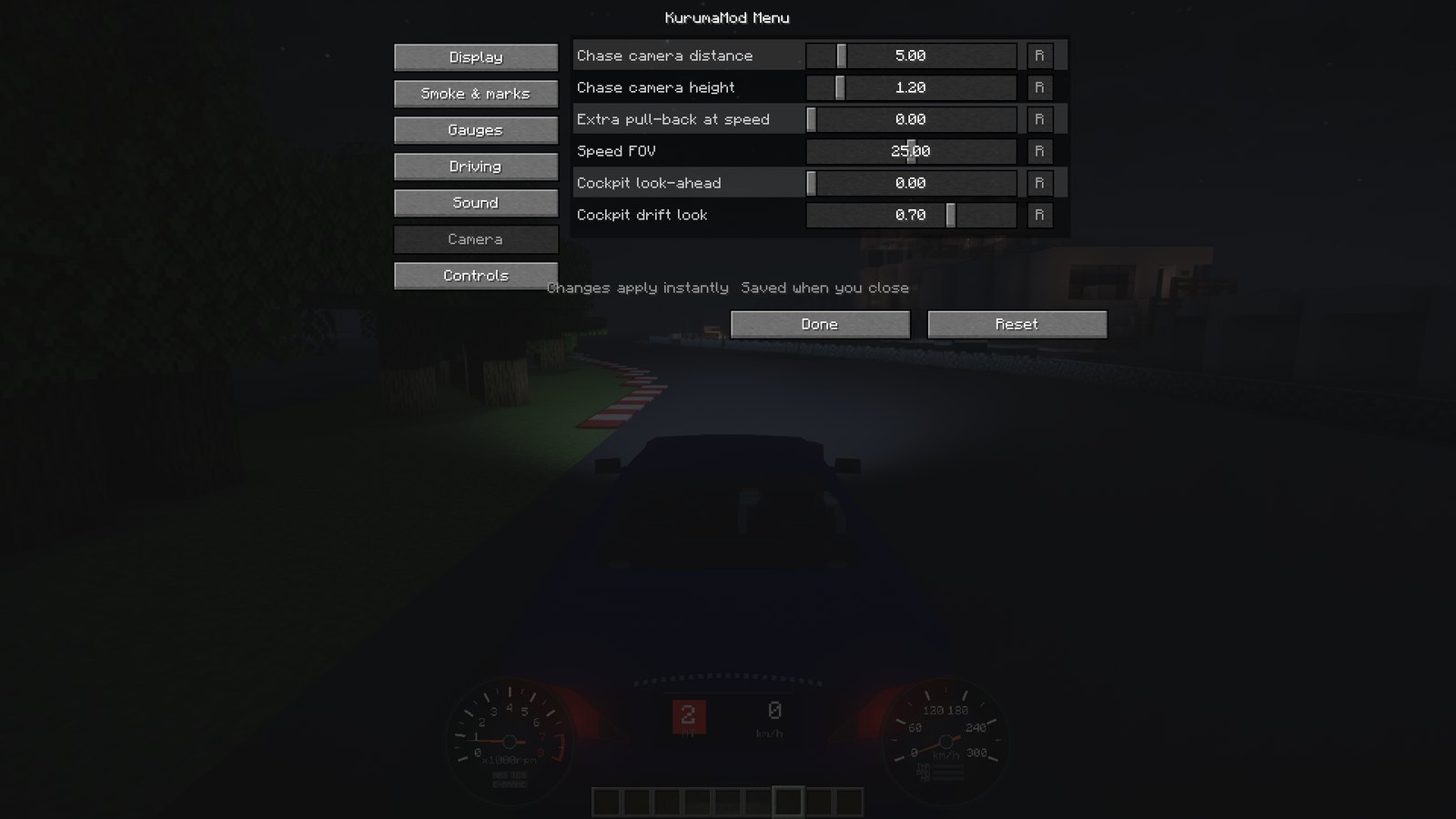
SETTINGS項目
| Setting項目 | Range範囲 | Default初期 | What it changes変わること |
|---|---|---|---|
| Chase camera distance追跡カメラの距離 | 1.5–241.5〜24 | 5.0 | How many blocks behind the car車の何ブロック後ろに置くか |
| Chase camera height追跡カメラの高さ | 0–80〜8 | 1.2 | Higher looks down on the car上げるほど見下ろす |
| Extra pull-back at speed速度で引く量 | 0–120〜12 | 0 | How many more blocks the camera drops back at top speed最高速で、さらに何ブロック引くか |
| Speed FOV速度で広がる視野 | 0–50°0〜50 度 | 25°25 度 | How much the view widens at full speed全開のときに視野を広げる量 |
| Cockpit look-ahead一人称の先読み | 0–1.6 s0〜1.6 秒 | 0 | How far ahead along the road the cockpit view looks in a corner曲がるとき、どれだけ先の進路を見るか |
| Cockpit drift look一人称のドリフト視線 | 0–10〜1 | 0.7 | In a slide, how much the view turns to where the car is going滑っているとき、進む向きをどれだけ見るか |
RELATED関連
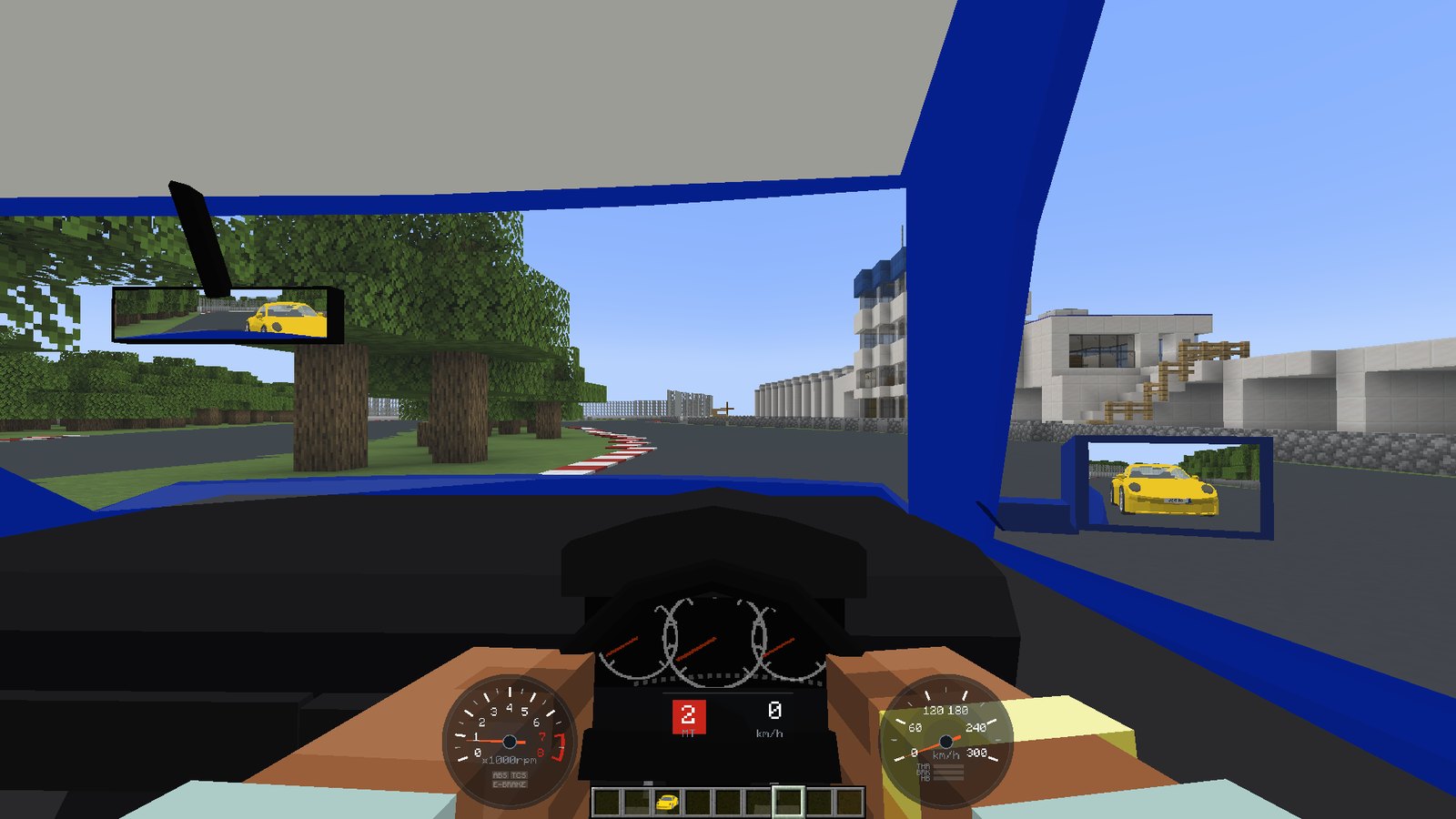
Mirrorsミラー
The rear-view and door mirrors can show what is behind you. They are off at first.ルームミラーとドアミラーに、後ろの景色を映せます。最初は切れています。
HOW TO OPEN開き方
GOOD TO KNOW覚えておくこと
Display and gauges表示とメーター
The H menu holds your display preferences. Changes apply at once and are saved when you close it.H のメニューに、画面の好みがまとまっています。変えるとすぐ効き、閉じると保存されます。
HOW TO OPEN開き方
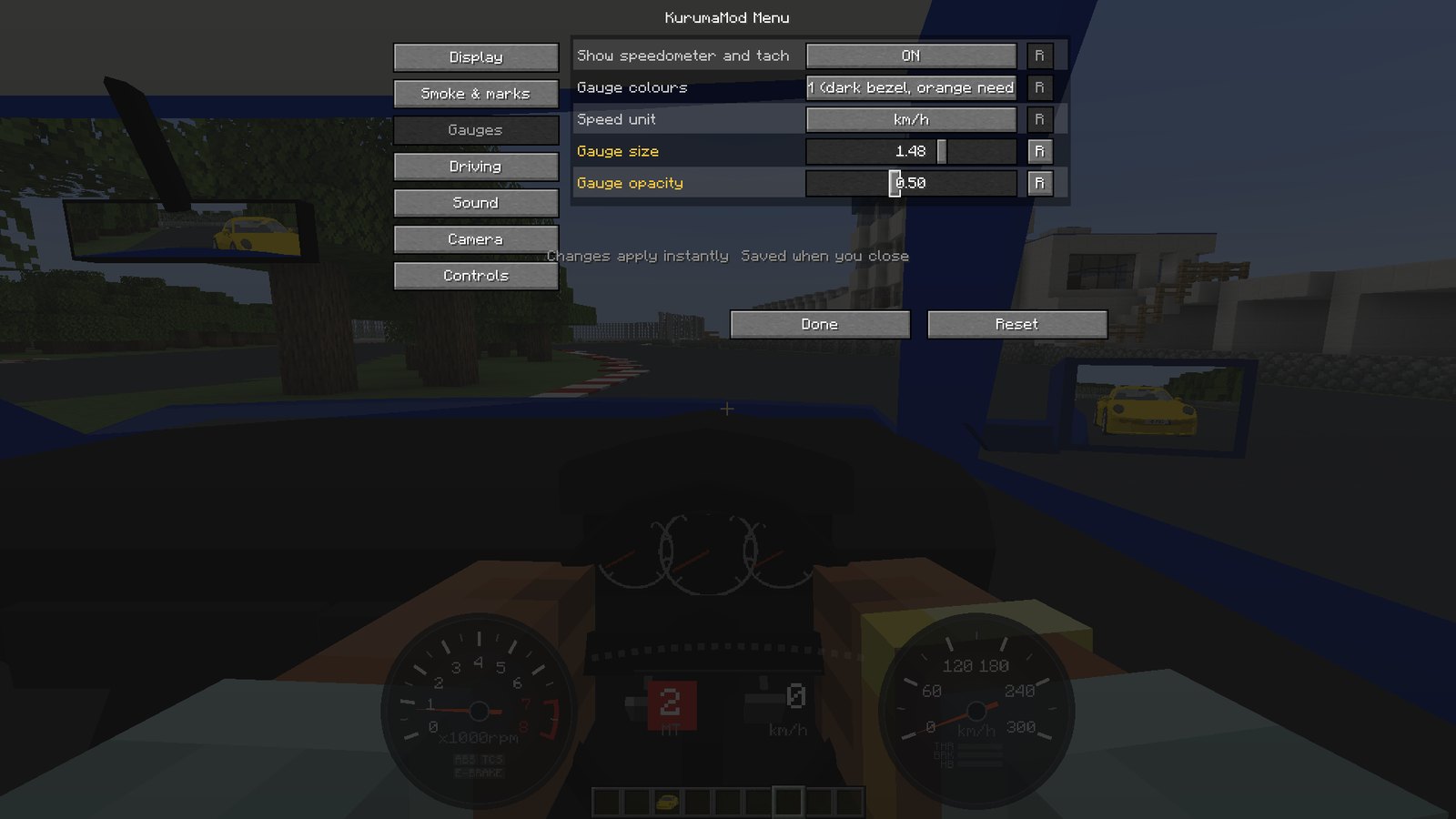
DISPLAY「表示」
| Setting項目 | Default初期 | What it doesすること |
|---|---|---|
| Show the key list操作ヘルプを表示 | On入 | The list of keys at the bottom right右下のキーの一覧 |
| Show telemetryテレメトリを表示 | On入 | The numbers at the bottom left左下の数字 |
| Time attack ghostタイムアタックのゴースト | On入 | Your best lap, driving as a see-through car自己ベストの周を、半透明の車として走らせる |
| Course gatesコースのゲートの表示 | Fullフル | Full, posts only, or hiddenフル・ポールのみ・非表示 |
| Rear view in mirrorsミラーに後方を映す | Off切 | See Mirrors above上の「ミラー」のとおり |
GAUGES「メーター」
| Setting項目 | Default初期 | What it doesすること |
|---|---|---|
| Show the gauges速度計と回転計を表示 | On入 | The round gauges at the bottom画面の下の丸いメーター |
| Gauge coloursメーターの配色 | 90s stock90年代 純正 | 90s stock (black rim, orange needle) or modern (silver rim, red needle)90年代 純正(黒縁・橙の針)かモダン(銀縁・赤い針) |
| Speed unit速さの単位 | km/h | km/h or mph, everywhere a speed is shownkm/h か mph。速度が出る所すべてに効く |
| Gauge sizeメーターの大きさ | 1.0 | 0.5 to 2.00.5〜2.0 |
| Gauge opacityメーターの濃さ | 0.6 | How solid the gauge background is. The needles stay clear.下敷きの濃さ。目盛りと針は薄くならない |
DRIVING「運転」
| Setting項目 | Default初期 | What it doesすること |
|---|---|---|
| Smooth stepped walls段のある壁をなめらかに | On入 | Stair-like walls and pillars act as a smooth wall for the car you drive階段状の壁や柱を、自分の車に対してなめらかな壁として当てる |
GOOD TO KNOW覚えておくこと
RELATED関連
Smoke and skid marks煙とタイヤ痕
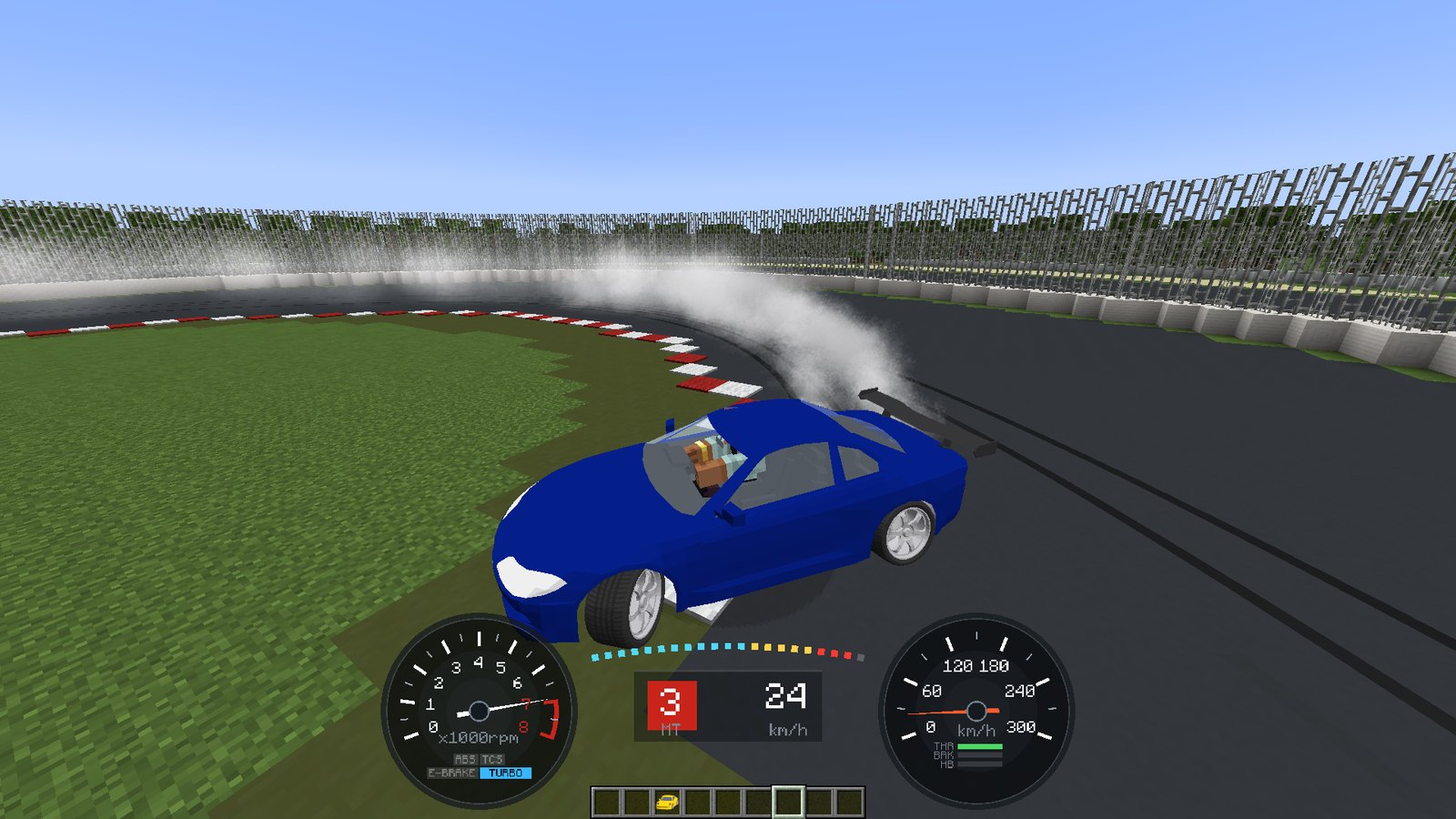
Tyre smoke, dust and skid marks can be made lighter, thicker or turned off.タイヤの煙、土煙、タイヤ痕は、軽くする・濃くする・消す、ができます。
HOW TO OPEN開き方
SETTINGS項目
| Setting項目 | Default初期 | What it doesすること |
|---|---|---|
| Smoke and dust煙と土煙を出す | On入 | White smoke on tarmac, dust on dirt, sand, gravel and snow舗装での白い煙と、土・砂・砂利・雪での土煙 |
| Amount煙と土煙の量 | 1.0 | 0.25 to 2.0. Lower it if the game feels heavy.0.25〜2.0。重いと感じたら下げる |
| Smoke style煙の描き方 | Volumetric体積 | Volumetric smoke is shaded and lit by headlights. Particles are lighter.体積は陰影がつき、ヘッドライトで照らされる。粒は軽い |
| Smoke quality煙の品質 | Medium中 | Low, medium, high or highest. Lower is lighter.低・中・高・最高。低いほど軽い |
| Smoke density煙の濃さ | 1.0 | 0.25 to 2.00.25〜2.0 |
| Smoke lifetime煙が残る長さ | 1.0 | 0.5 to 2.5. Longer is heavier.0.5〜2.5。長いほど重い |
| My skid marks自分のタイヤ痕 | On入 | Marks your own car leaves when it slides on tarmac自分の車が舗装で滑ったときの跡 |
| Other cars' skid marks他の車のタイヤ痕 | On入 | Marks from every other carほかの車すべての跡 |
| Skid mark timeタイヤ痕の長さ(秒) | 300 s300 秒 | 1 to 300 s until a mark fades. Longer is heavier.跡が消えるまで 1〜300 秒。長いほど重い |
GOOD TO KNOW覚えておくこと
RELATED関連
Sound volumes音量
Each kind of car sound has its own volume, from 0% to 200%.車の音は、種類ごとに 0〜200% で音量を決められます。
HOW TO OPEN開き方
VOLUMES音の種類
| Volume項目 | What it covers含まれる音 |
|---|---|
| Car sounds (all)車の音(全体) | Everything below at once下の全部をまとめて |
| Engine and exhaustエンジン・排気音 | The engine noteエンジンの音 |
| Turbo and blow-offターボ・ブローオフ | Turbo whistle and the blow-off valve過給の音と、ブローオフの音 |
| Tyre squealタイヤの鳴き | Tyres sliding on tarmac舗装でタイヤが滑る音 |
| Loose surfaces未舗装の路面音 | Gravel, sand and dirt under the tyres砂利・砂・土を走る音 |
| Road noiseロードノイズ | The hum of the tyres rollingタイヤが転がる音 |
| Wind風切り音 | Wind at speed速度が出たときの風の音 |
| Gear change変速音 | The sound of a shift変速したときの音 |
| Crash衝突音 | Hitting walls and other cars壁やほかの車に当たった音 |