Connect a controllerつなぐ
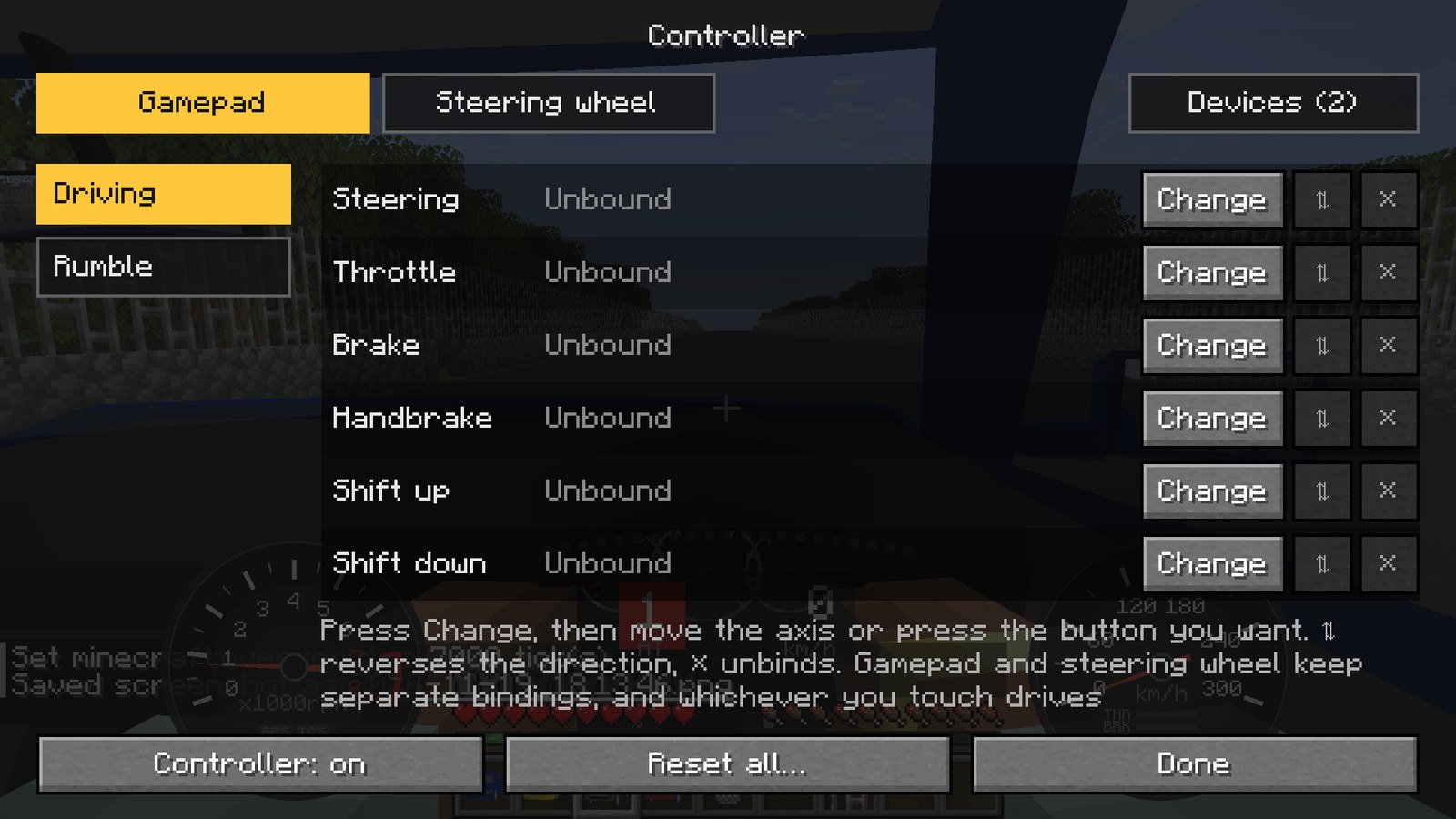
Gamepads, wheels, pedals and shifters are bound on the controller screen. Nothing is bound at first.ゲームパッドもハンコン・ペダル・シフターも、コントローラ設定の画面で割り当てます。最初は何も割り当てられていません。
HOW TO OPEN開き方
GOOD TO KNOW覚えておくこと
RELATED関連
Bind controls割り当てる
Pick a control, then move the axis or press the button you want for it.操作を選んでから、使いたい軸を動かすか、ボタンを押します。
HOW TO OPEN開き方
STEPS手順
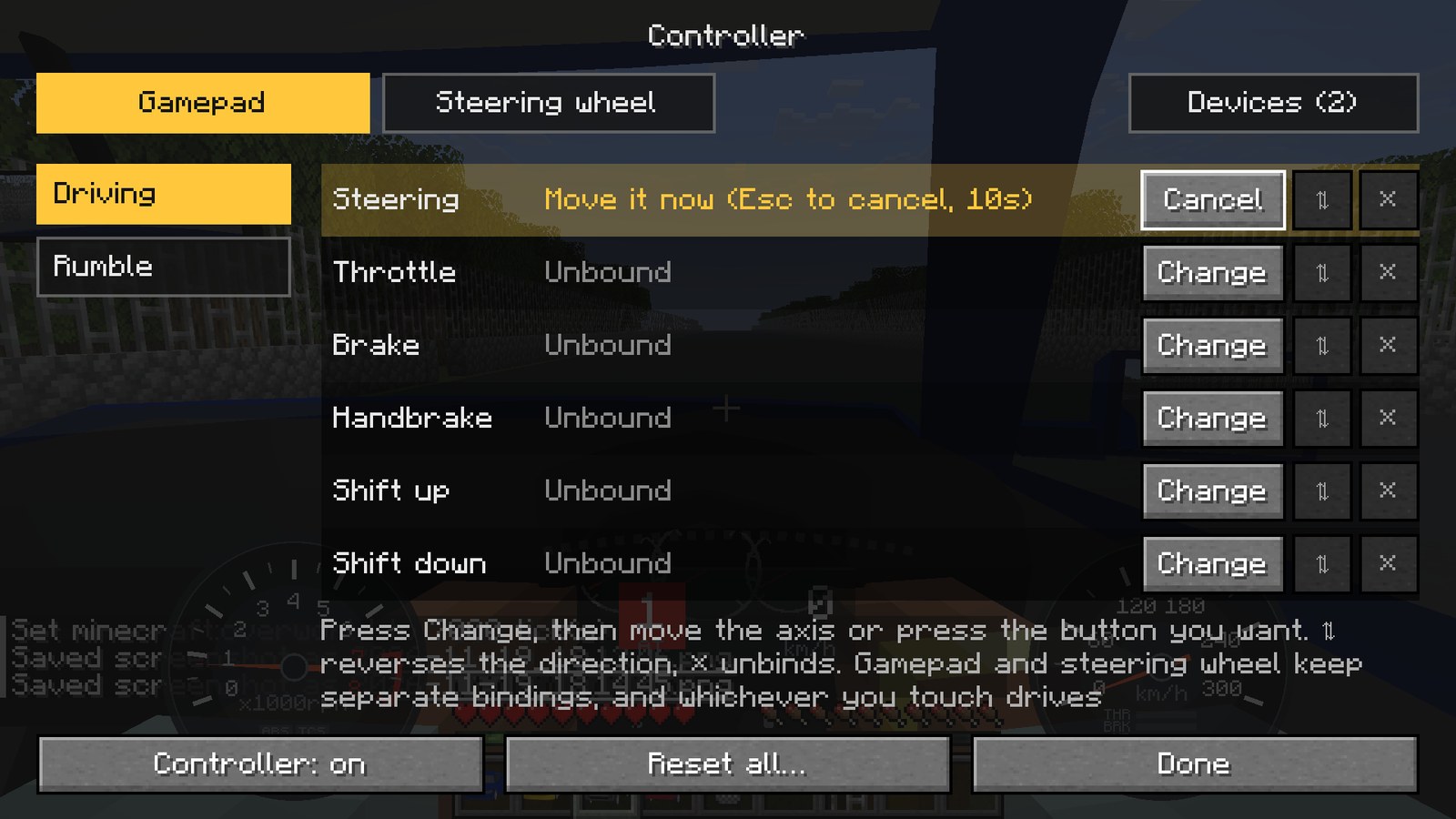
Press Change on the row you want to bind.割り当てたい行の「変更」を押します。The row waits for 10 seconds. Esc cancels.その行が 10 秒間、入力を待ちます。Esc で取り消せます。
Move the axis or press the button.軸を動かすか、ボタンを押します。The row then shows the device, the axis or button, and its live value.行に、機器の名前・軸かボタン・いまの値が出ます。
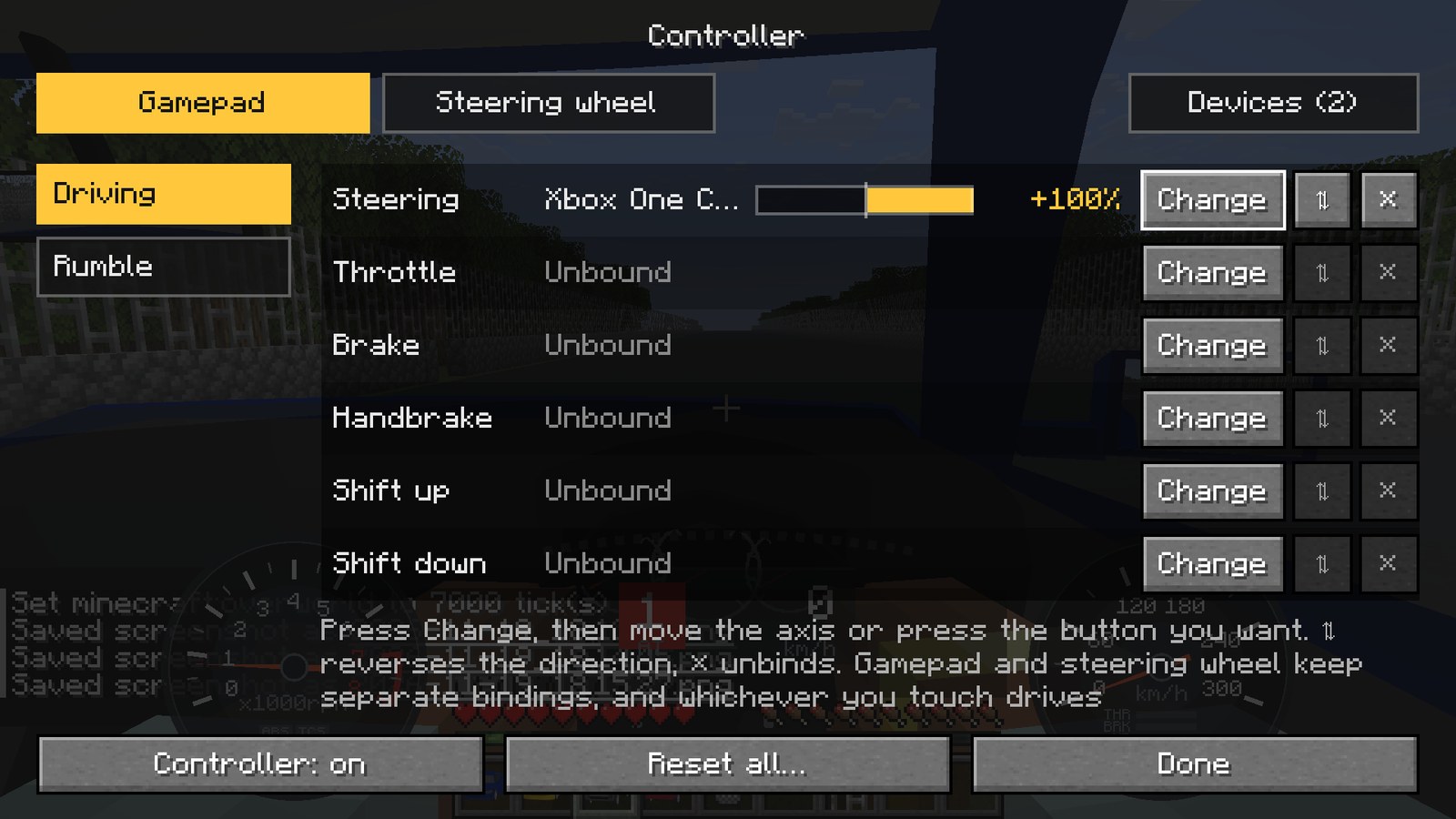
If the control works backwards, press ⇅ on the row. Press × to unbind it.動きが逆なら、行の ⇅ を押します。外すときは × を押します。
WHAT YOU CAN BIND割り当てられる操作
| Pageページ | Controls操作 |
|---|---|
| Driving運転 | Steering, throttle, brake, clutch, handbrakeハンドル、アクセル、ブレーキ、クラッチ、サイドブレーキ |
| Shifting変速 | Shift up, shift down, and each gate of an H shifter (R and 1 to 7)シフトアップ、シフトダウン、H シフターの各段(R と 1〜7 速) |
GOOD TO KNOW覚えておくこと
Drive with a steering wheelハンコンで走る
Choose Steering wheel at the top of the screen and the car's steering wheel turns exactly as yours does.画面のいちばん上で「ハンコン」を選ぶと、手元のハンドルの角度がそのまま車のハンドルになります。
HOW TO OPEN開き方
STEPS手順
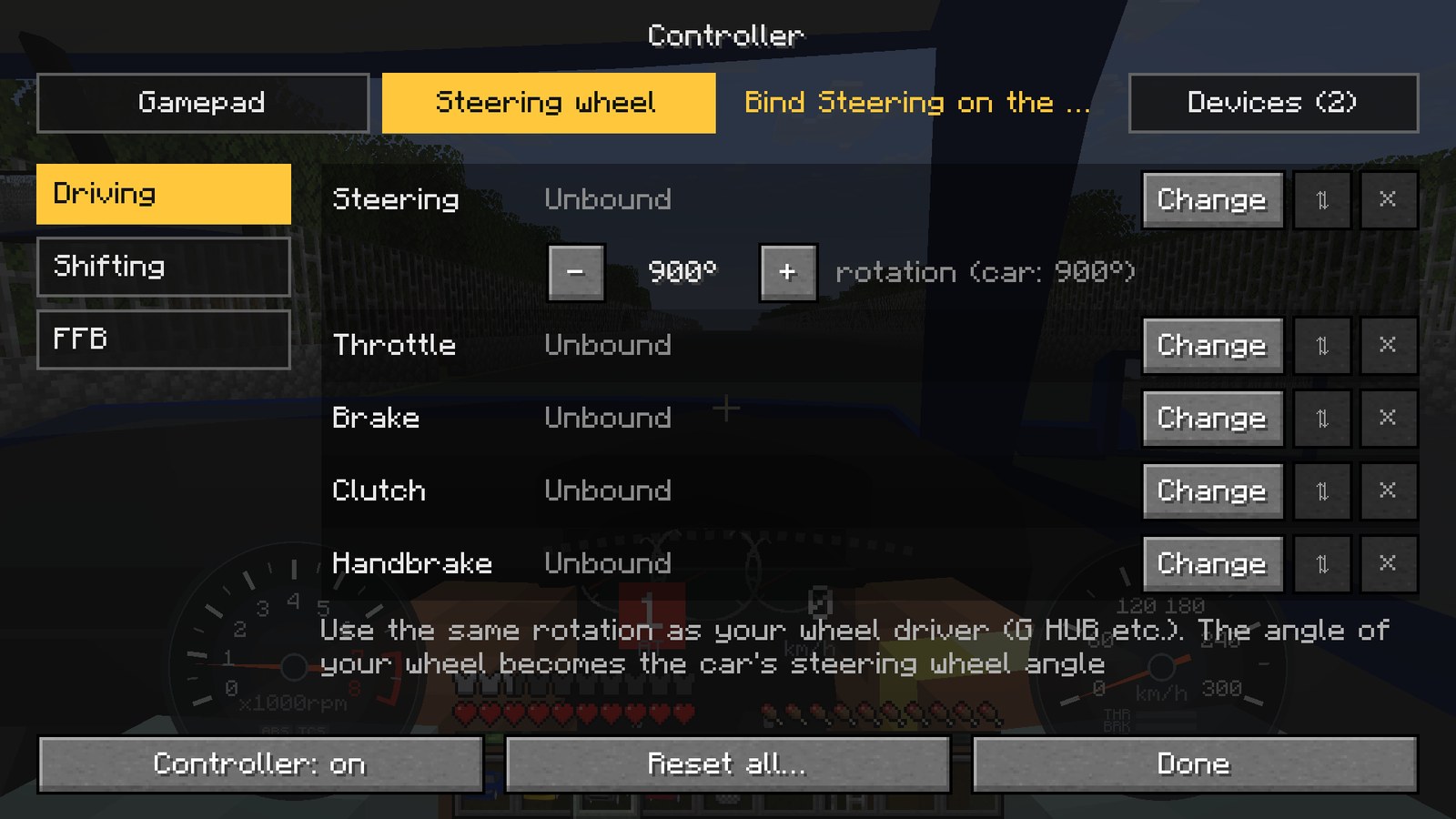
Choose Steering wheel at the top, then bind Steering on the Driving page to your wheel.いちばん上で「ハンコン」を選び、「運転」のページでハンドルをハンコンに割り当てます。
Set the rotation to the same value as in your wheel's driver software.回転角を、ハンコンのドライバーソフトと同じ値にします。The default is 900°. It changes in steps of 90°.初期は 900 度で、90 度刻みで変えられます。
AIDS THAT STOP WORKING直結で効かなくなる補助
| On the setup screenセッティングの項目 | Why理由 |
|---|---|
| Steering grip margin, anti-spin assist切れ角の余裕、スピン防止アシスト | Your hands decide the angle切れ角は手で決めるため |
| Steering rate and return, self-centring舵が入る・戻る時間、舵の自己復元 | They smooth key presses, which a wheel does not needキーの入力をなめらかにする補助で、ハンコンには要らないため |
| Pedal and handbrake timesペダル・サイドブレーキが効くまでの時間 | Same同じ |
The setup screen marks these rows as off for wheels.セッティングの画面では、これらの行に「ハンコンでは無効」と出ます。
GOOD TO KNOW覚えておくこと
RELATED関連
Force feedbackフォースフィードバック
With Steering wheel chosen, the wheel pushes back like the front tyres do.「ハンコン」を選んでいるとき、前輪の手応えがハンコンに返ります。
HOW TO OPEN開き方
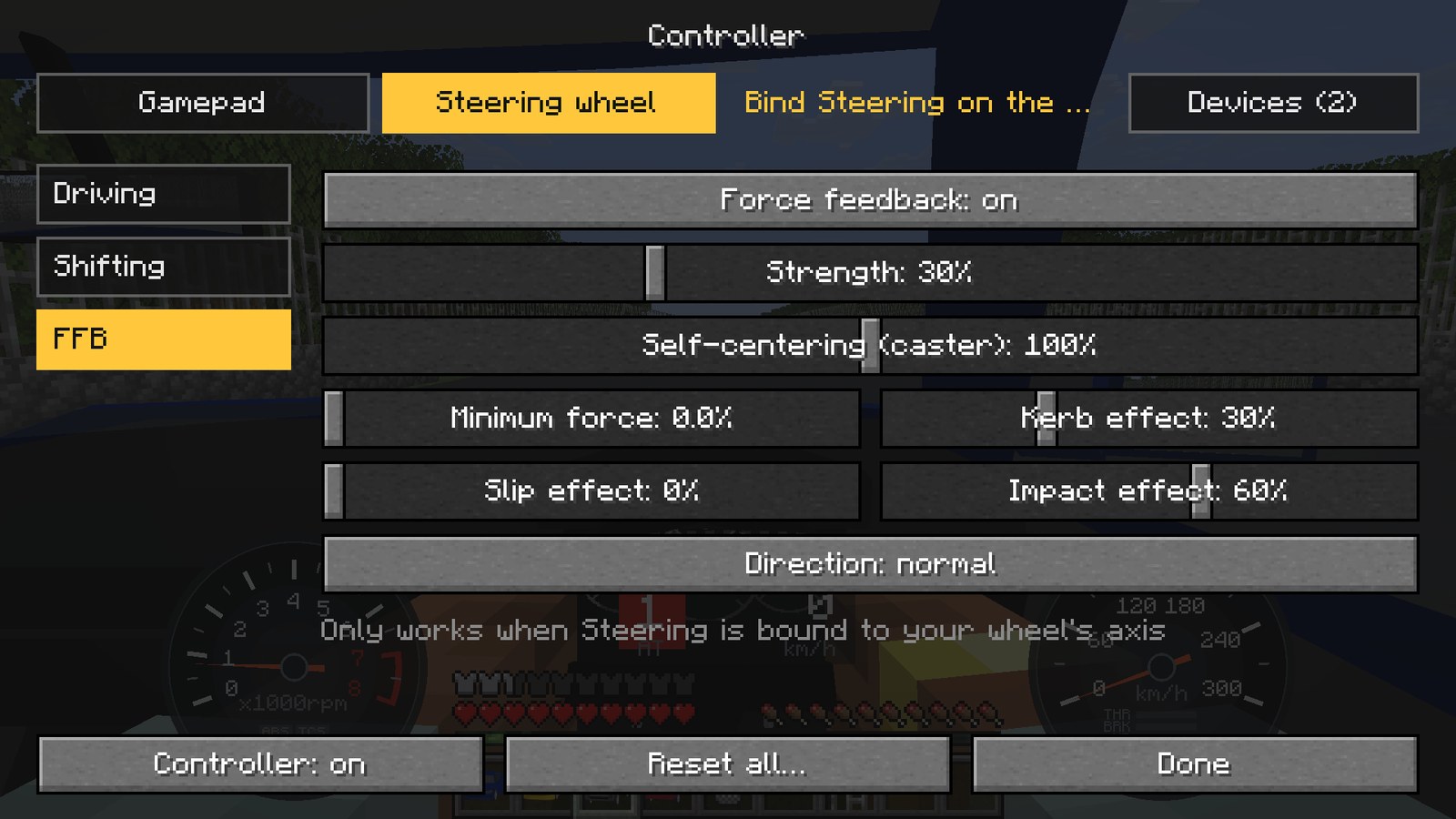
SETTINGS項目
| Setting項目 | Range範囲 | Default初期 |
|---|---|---|
| Force feedbackフォースフィードバック | On / off有効/無効 | On有効 |
| Strengthゲイン(強さ) | 0–100%0〜100% | 30% |
| Self-centering戻す力 | 0–200%0〜200% | 100% |
| Minimum force最小加重 | 0–20%0〜20% | 0% |
| Kerb effect縁石エフェクト | 0–100%0〜100% | 30% |
| Slip effectスリップエフェクト | 0–100%0〜100% | 0% |
| Impact effect衝突エフェクト | 0–100%0〜100% | 60% |
| Road effectロードエフェクト | 0–100%0〜100% | 40% |
| Step / Landing threshold上り・着地の閾値 | 1/16–16/16 of a block1/16〜16/16 ブロック | 3/16 |
| DirectionFFB 反転 | Normal / reversedオフ/オン | Normalオフ |
WHAT YOU FEEL返ってくる力
| When場面 | The wheelハンコンの動き |
|---|---|
| Cornering曲がっているとき | Pulls back towards the centre中央へ戻ろうとする |
| Past the limit of gripグリップの限界を越えたとき | Goes light軽くなる |
| The rear slides後ろが流れたとき | Turns towards the counter-steerカウンターの向きへ回る |
| At full lock切りきったとき | Pushes back押し返す |
| On a kerb縁石に乗ったとき | Shakes left and right左右に小刻みに揺れる |
| Tyres sliding (with Slip effect on)タイヤが滑っているとき(スリップエフェクトを上げたとき) | Buzzes for as long as they slide滑っている間ずっと細かく震える |
| A crashぶつかったとき | Jolts揺さぶられる |
| A step or a landing (with Road effect on)段差・着地(ロードエフェクトを上げたとき) | A short knockコツッと揺れる |
GOOD TO KNOW覚えておくこと
Gamepad rumbleパッドの振動
A gamepad shakes on impacts, on kerbs and when the tyres slide.ゲームパッドは、衝突・縁石・タイヤの滑りで震えます。
HOW TO OPEN開き方
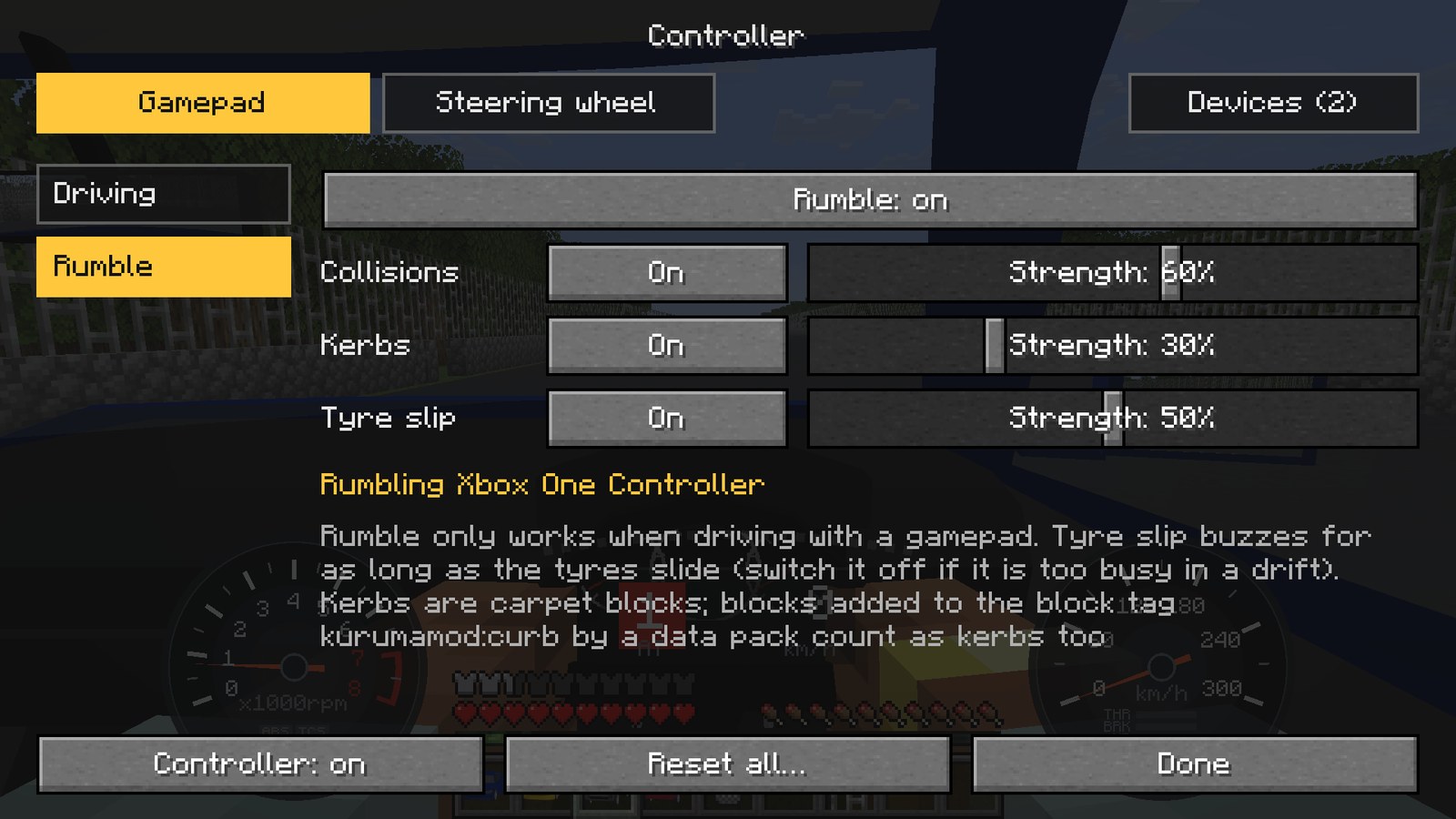
KINDS OF RUMBLE振動の種類
| Kind種類 | Default strength初期の強さ |
|---|---|
| Crash衝突 | 60% |
| Kerbs縁石 | 30% |
| Tyre slipタイヤの滑り | 50% |
Each kind can be switched off or set on its own.種類ごとに、切ることも強さを変えることもできます。
Clutch pedalクラッチペダル
Bind a clutch pedal and, in a manual car, the clutch is yours to work.クラッチペダルを割り当てると、マニュアルの車ではクラッチを自分で操作することになります。
HOW TO OPEN開き方
GOOD TO KNOW覚えておくこと
RELATED関連
H shifterH シフター
Bind each gate of an H shifter, and the gear follows the lever in a manual car.H シフターの各段を割り当てると、マニュアルの車でレバーの位置がそのままギアになります。
HOW TO OPEN開き方
STEPS手順
Click a gate in the diagram, then put the lever in that gear.図の段を押してから、レバーをその段に入れます。Right-click a gate to unbind it.段を右クリックすると外れます。
Or press the bind-in-order button and go through 1 to 7 and then R.または「順に割り当て」を押して、1 速から 7 速、最後に R の順に入れていきます。If your shifter has fewer gears, stop early with the finish button.段が少ないシフターでは、「ここまでで終える」で途中で終えられます。
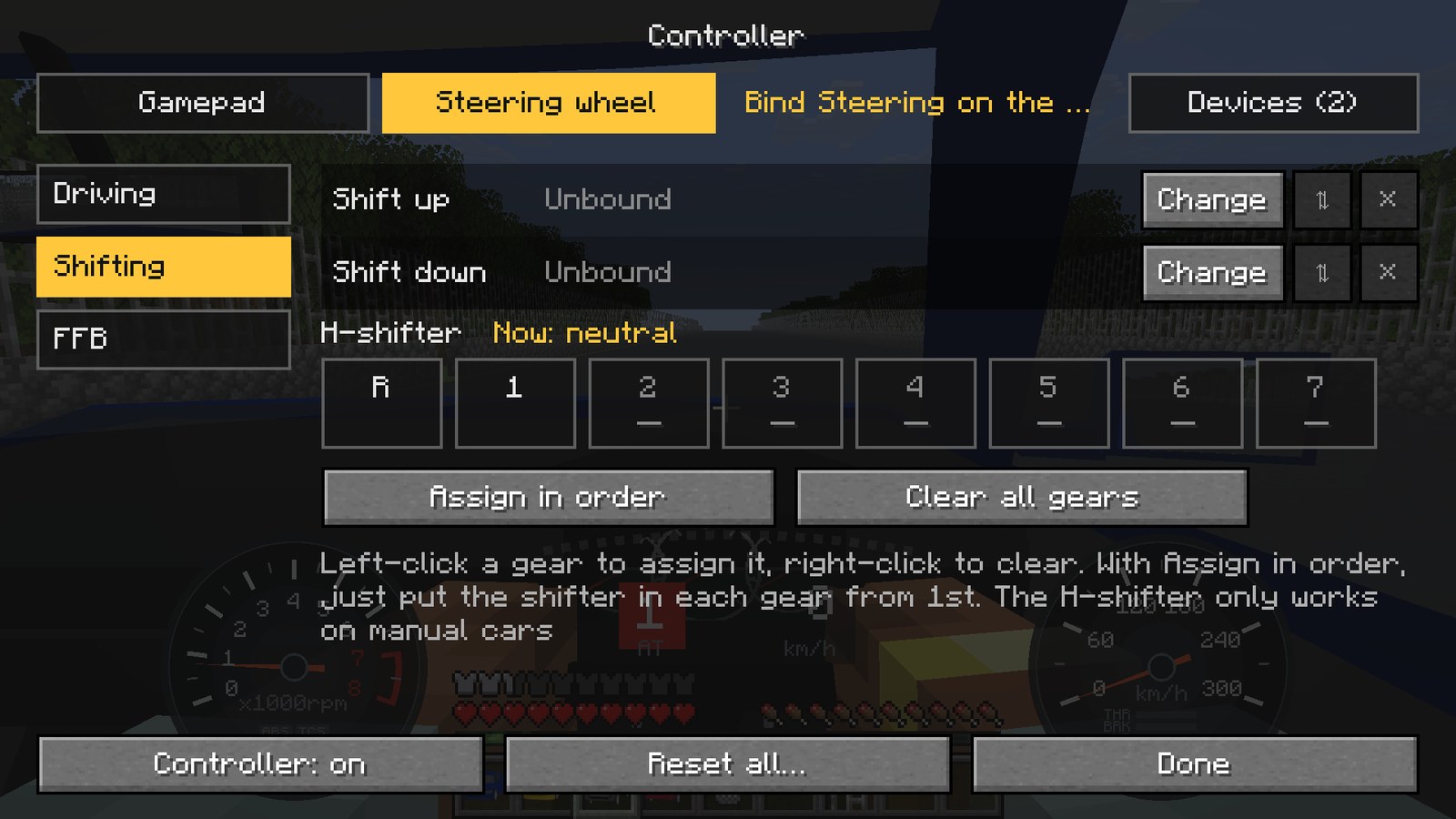
GOOD TO KNOW覚えておくこと
Keyboard and controller togetherキーボードと一緒に使う
You do not have to choose. Whichever you touch takes over.どちらかに決める必要はありません。触っているほうが効きます。