Lap a course on your own and push your best time, or line up your cars with friends and race. A server operator builds the courses, and everyone can do time attacks and races.コースを一人で走ってベストタイムを突き詰めることも、仲間と車を並べてレースをすることもできます。コースはサーバーの管理者が作り、誰もがタイムアタックとレースをすることができます。
- Time attackタイムアタックCross the start line and the clock runs by itself, with sector times and gaps to your best.スタートラインを越えるだけで計測。区間タイムと自己ベストとの差が出る
- Rankings記録と順位Every course keeps everyone's best lap.コースごとに、みんなのベストラップが残る
- GhostゴーストRace your own best lap as a see-through car.自分のベストラップと半透明の車で競える
- ClassesクラスRank laps among cars built to the same rules.同じ決まりの車どうしで順位を付ける
- Host and join racesレースを開く・参加するPick the course, laps and rules, and start on the lights.コース・周回数・決まりを選び、信号でスタート
- Spectate観戦Leave the race or watch it with the order and results.抜けても、順位と結果を見ながら観戦できる
Time a lapタイムを計る
Drive across a course's start line and the timing starts by itself. There is nothing to press.コースのスタートラインを走って越えるだけで、計測が始まります。押すものはありません。
STEPS手順
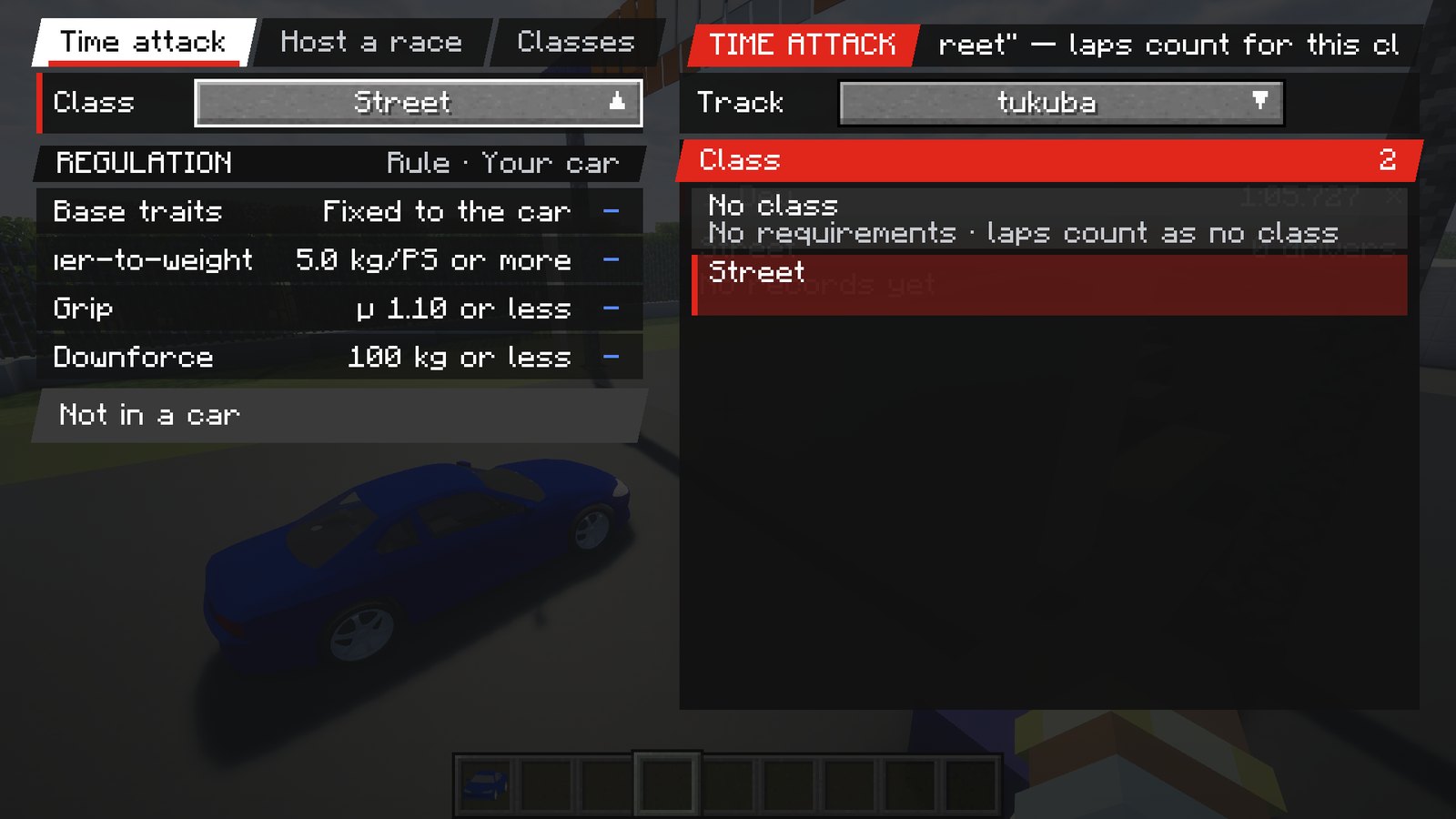
To run under a class, press K and choose it under Class on the Time attack tab. To drive without limits, leave it at No class.クラスで走るときは、K を押し、「タイムアタック」のタブの「クラス」で選びます。制限なしで走るなら「クラスなし」のままにします。The tab shows the class's regulation and whether your car meets it. Your choice is remembered for each server.タブに、そのクラスのレギュレーションと、自分の車が条件を満たしているかが出ます。選んだクラスは、サーバーごとに覚えています。
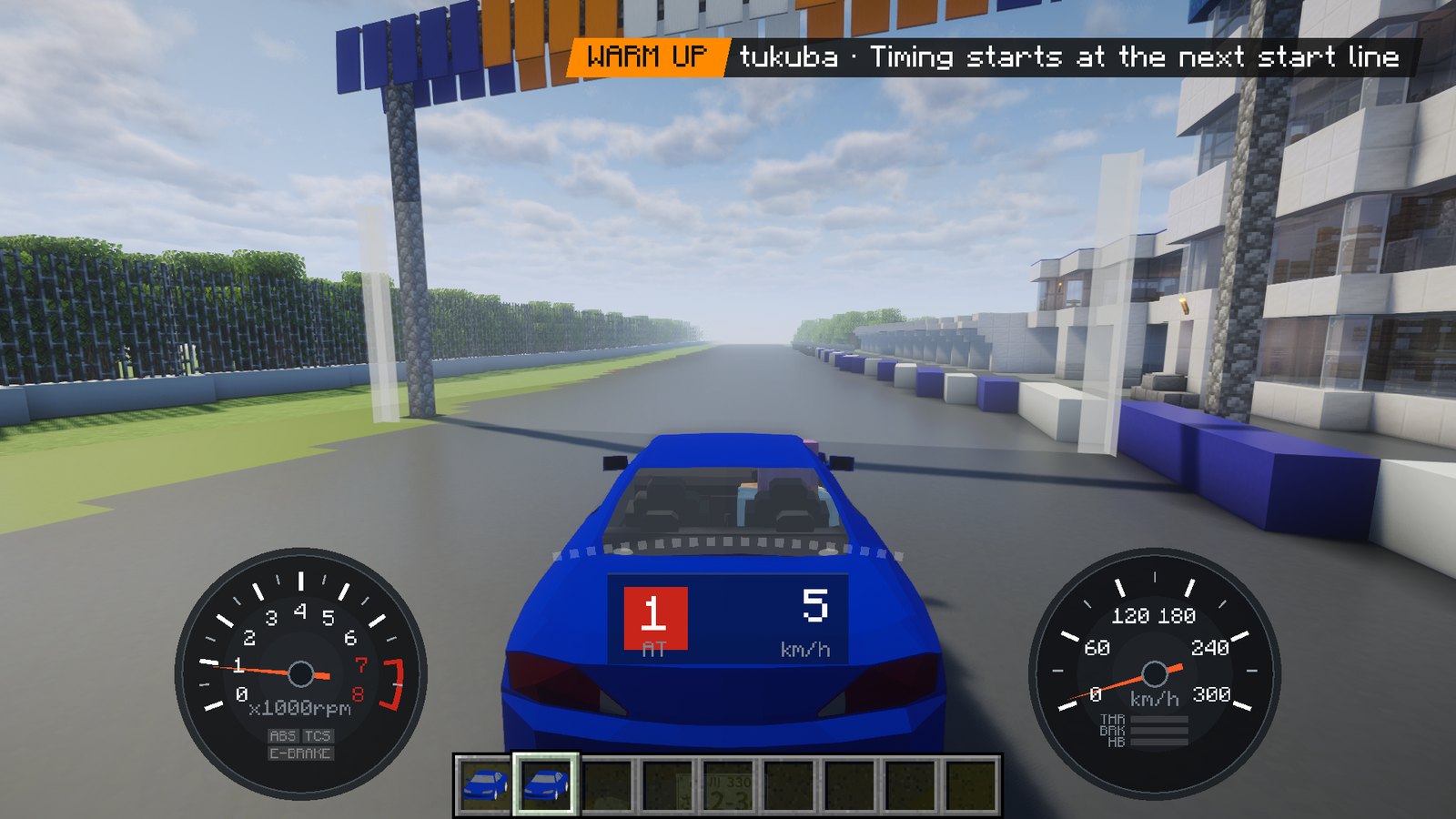
Drive across the start line in the course's direction.コースの走る向きに、スタートラインを越えます。The first crossing starts a warm-up lap. “WARM UP” shows at the top right.1 回目はウォームアップの周です。右上に「WARM UP」と出ます。
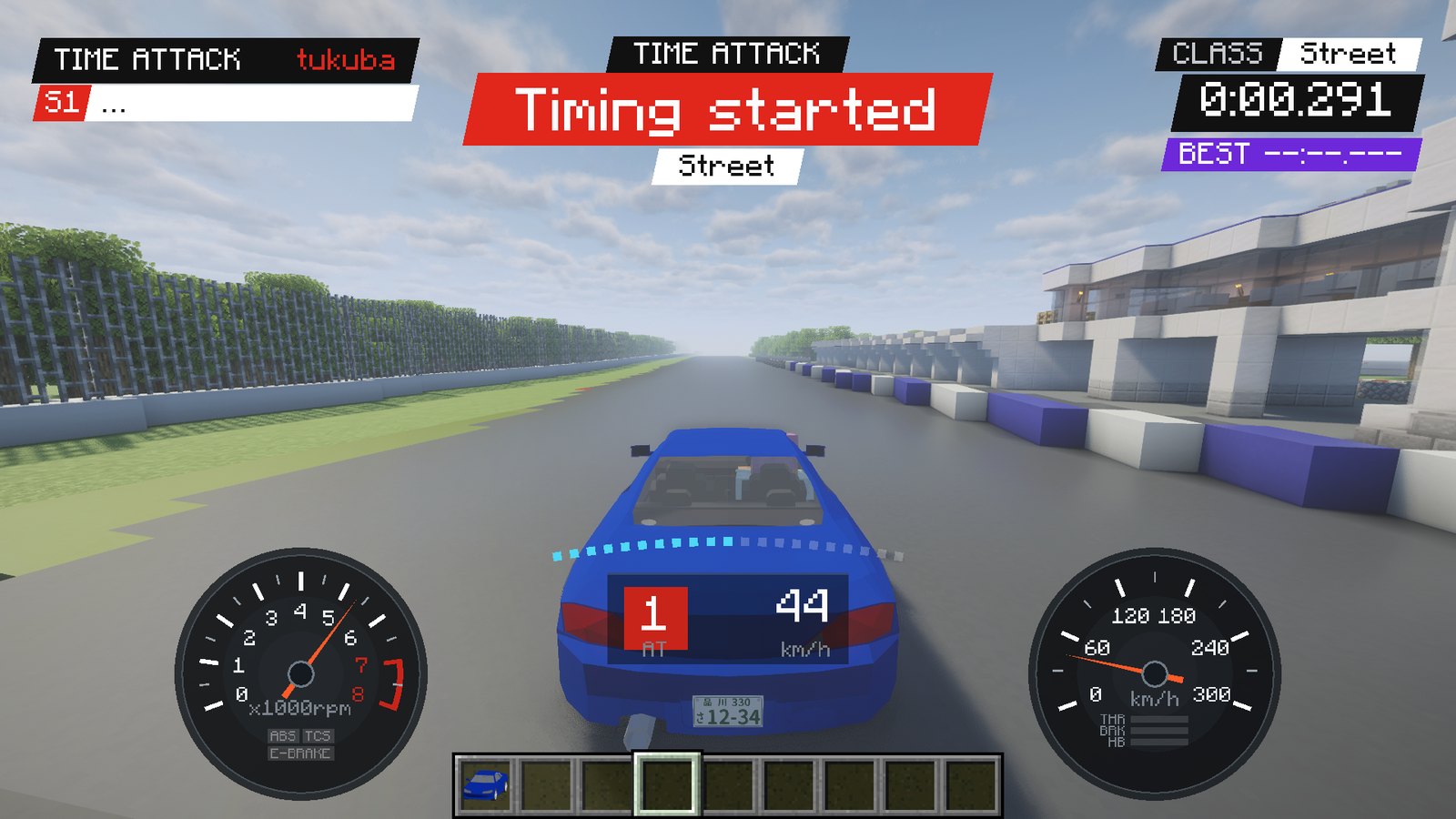
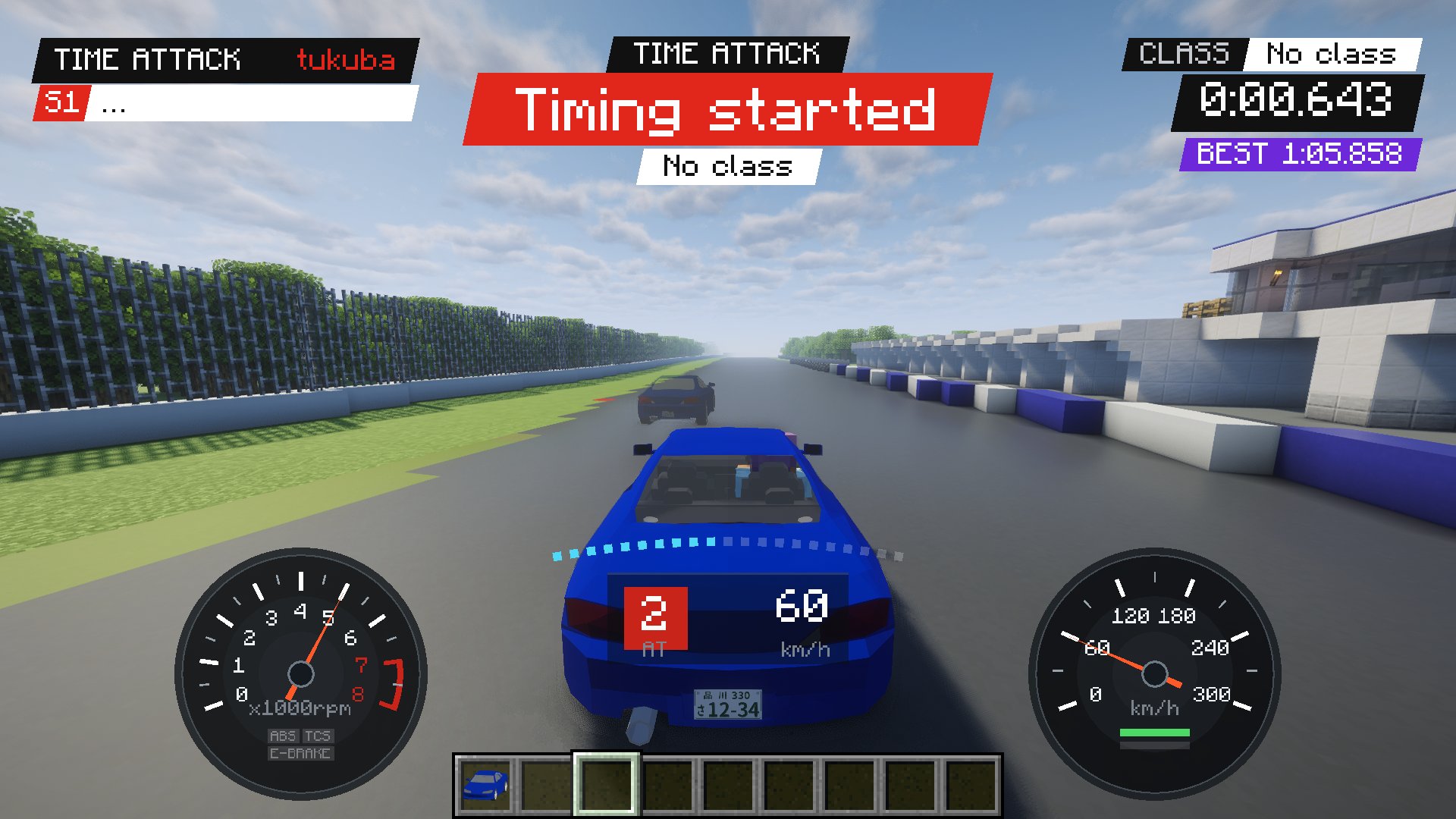
Cross the line again. Timing starts from here.もう一度ラインを越えます。ここから計測が始まります。A band across the screen says the timing has started.画面の中央に、計測開始の帯が出ます。
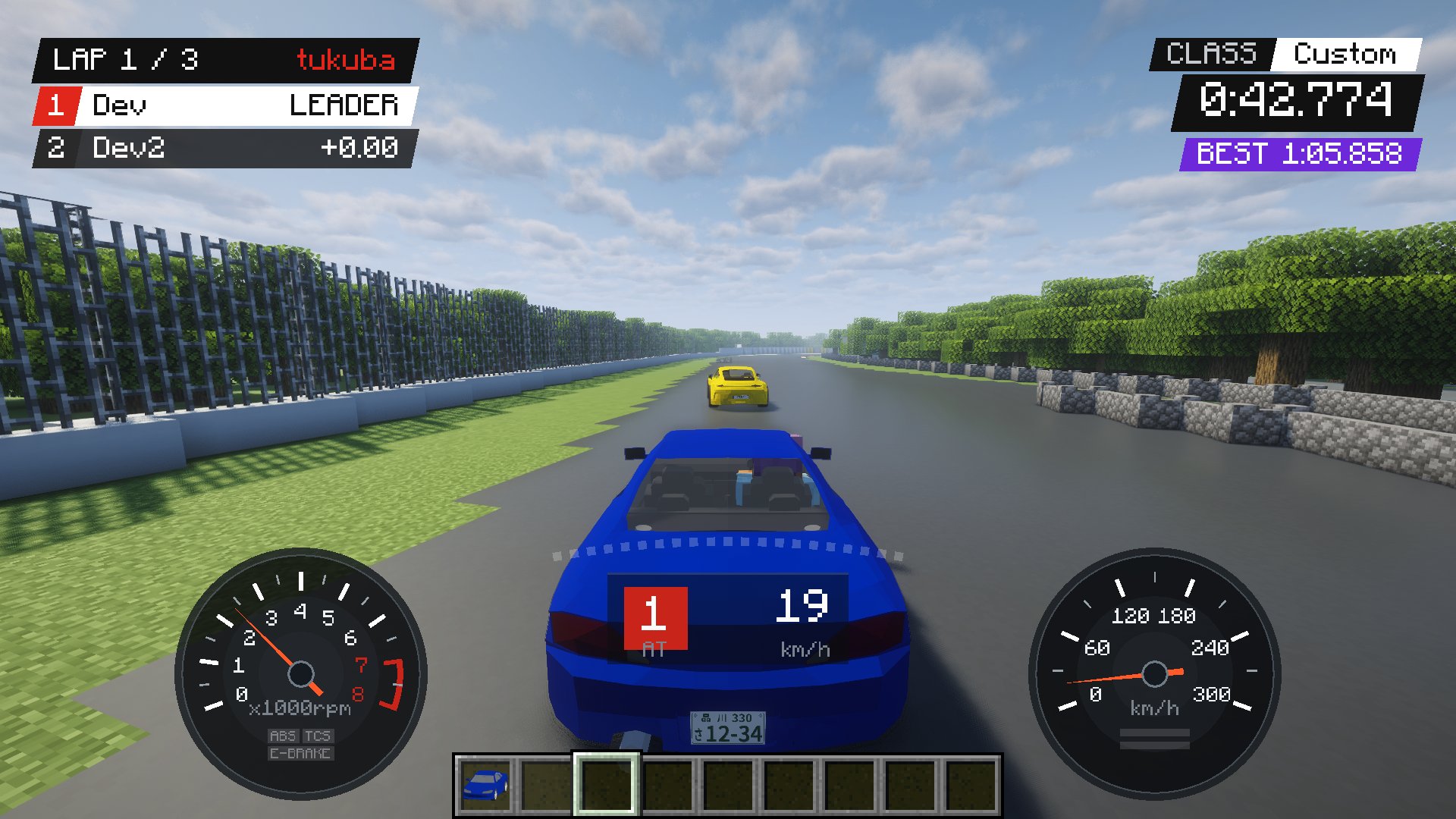
Pass every checkpoint in order and cross the line to complete a lap.チェックポイントを順に全部通ってラインを越えると、1 周になります。
ON SCREEN画面に出るもの
| Where場所 | What it shows出るもの |
|---|---|
| Top right右上 | This lap's clock, your class, the gap at the last checkpoint, your last lap and best lapいまの周の時計、クラス、直前のチェックポイントでの差、前の周とベスト |
| Top left左上 | Sector times and the gap to your best区間ごとのタイムと、自己ベストとの差 |
| Top centre上の中央 | At each checkpoint, whether you are ahead of or behind your bestチェックポイントを通るたびに、自己ベストより速いか遅いか |
GOOD TO KNOW覚えておくこと
RELATED関連
See the records記録を見る
Each course keeps a ranking of everyone's best lap.コースごとに、みんなのベストラップの順位が残ります。
HOW TO OPEN開き方
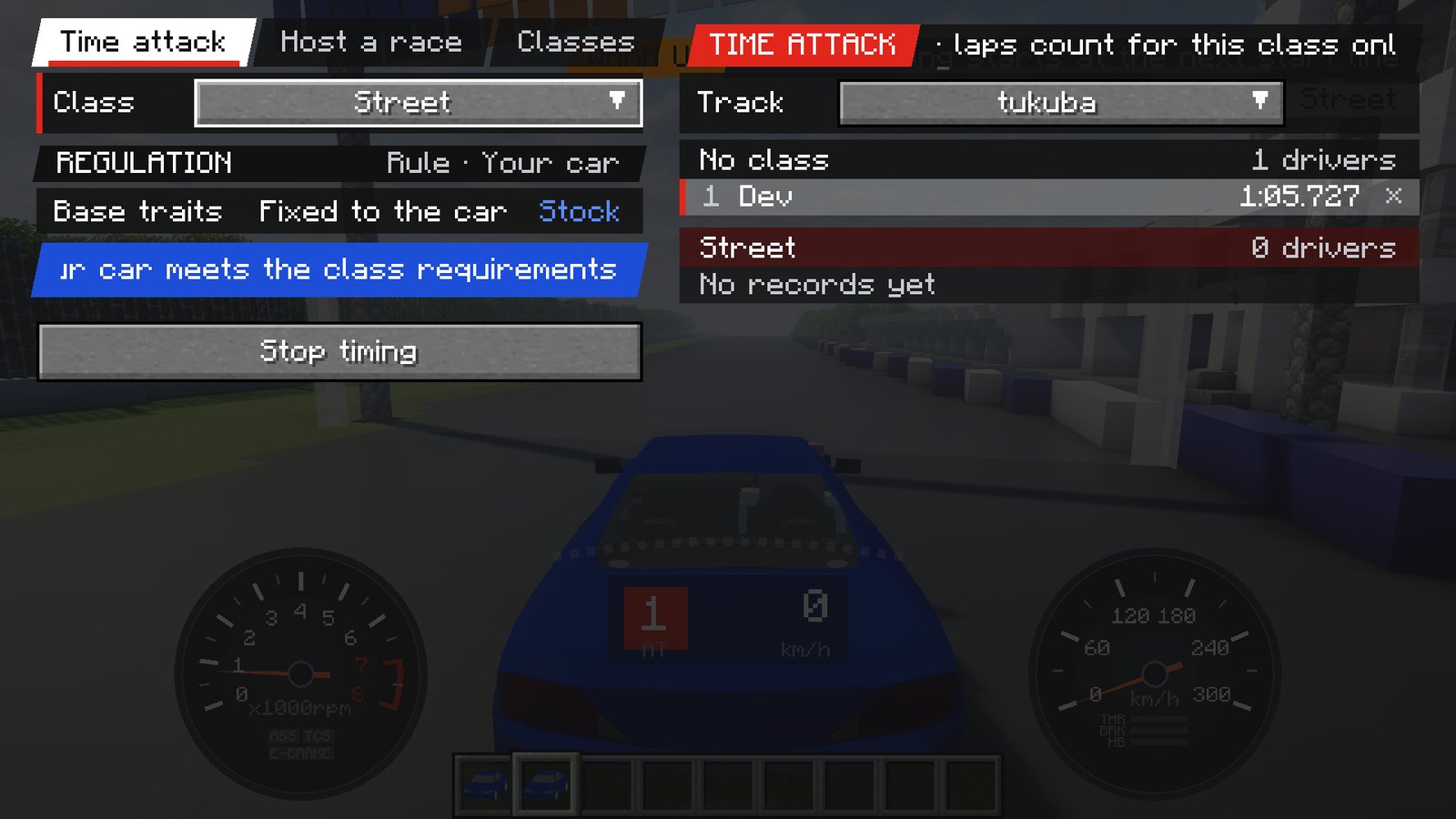
GOOD TO KNOW覚えておくこと
Classesクラス
A class limits how much performance a car can have for time attacks and races. The limits put cars on a similar footing, so drivers compete on skill.クラスはタイムアタックやレースをする際の車の性能を制限するためのものです。同じような車の性能で腕を競い合うために制限します。
HOW TO OPEN開き方
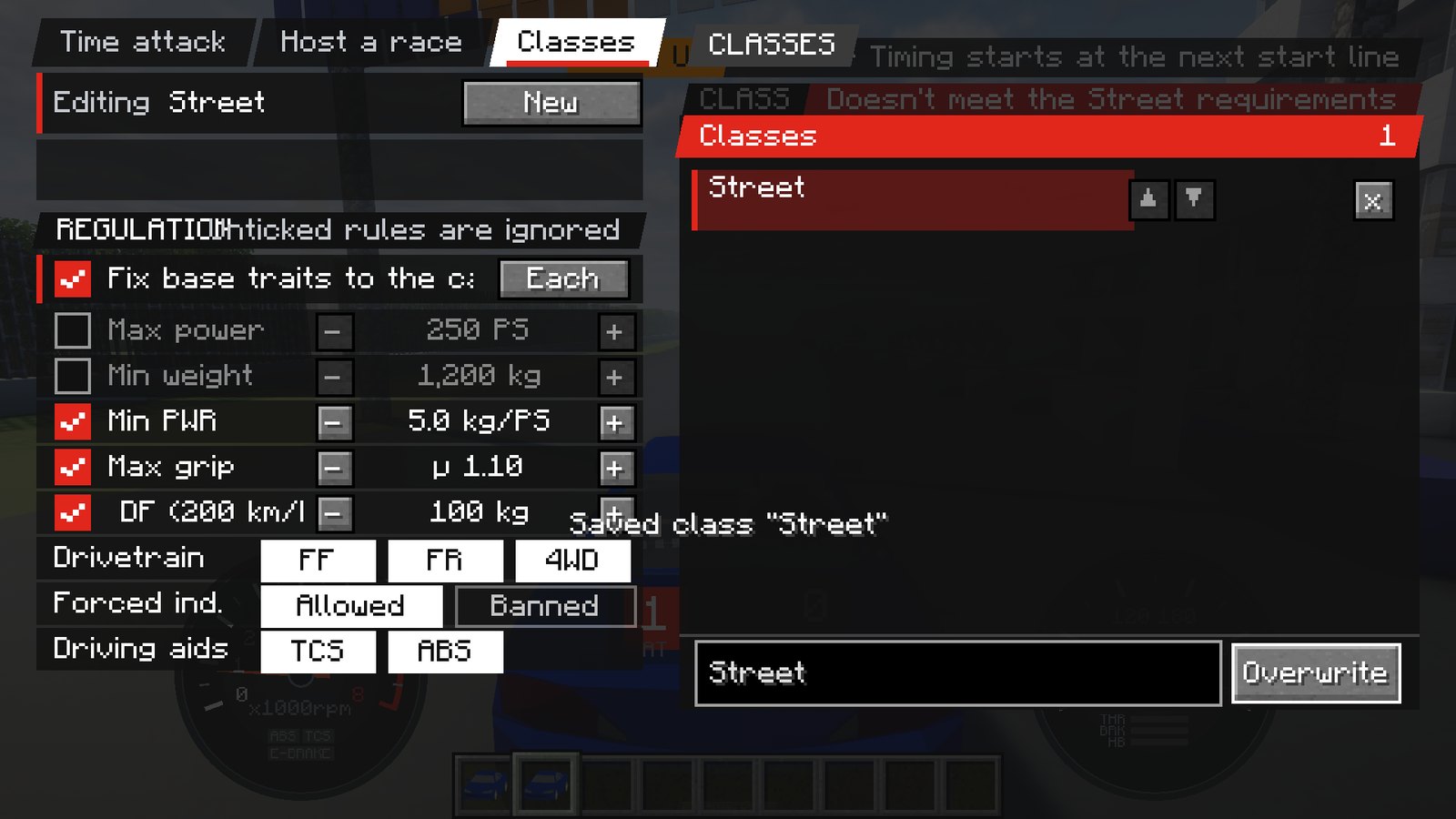
GOOD TO KNOW覚えておくこと
RELATED関連
Ghostゴースト
Your best lap drives alongside you as a see-through car.自分のベストラップが、半透明の車として一緒に走ります。
HOW TO OPEN開き方
GOOD TO KNOW覚えておくこと
Join a raceレースに参加する
When someone opens a race, an invitation appears. Press K and join.誰かがレースを開くと、案内が出ます。K を押して参加します。
HOW TO OPEN開き方
STEPS手順
Wait for the invitation: a message in chat and a box at the right of the screen.案内を待ちます。チャットのメッセージと、画面の右の枠で知らされます。
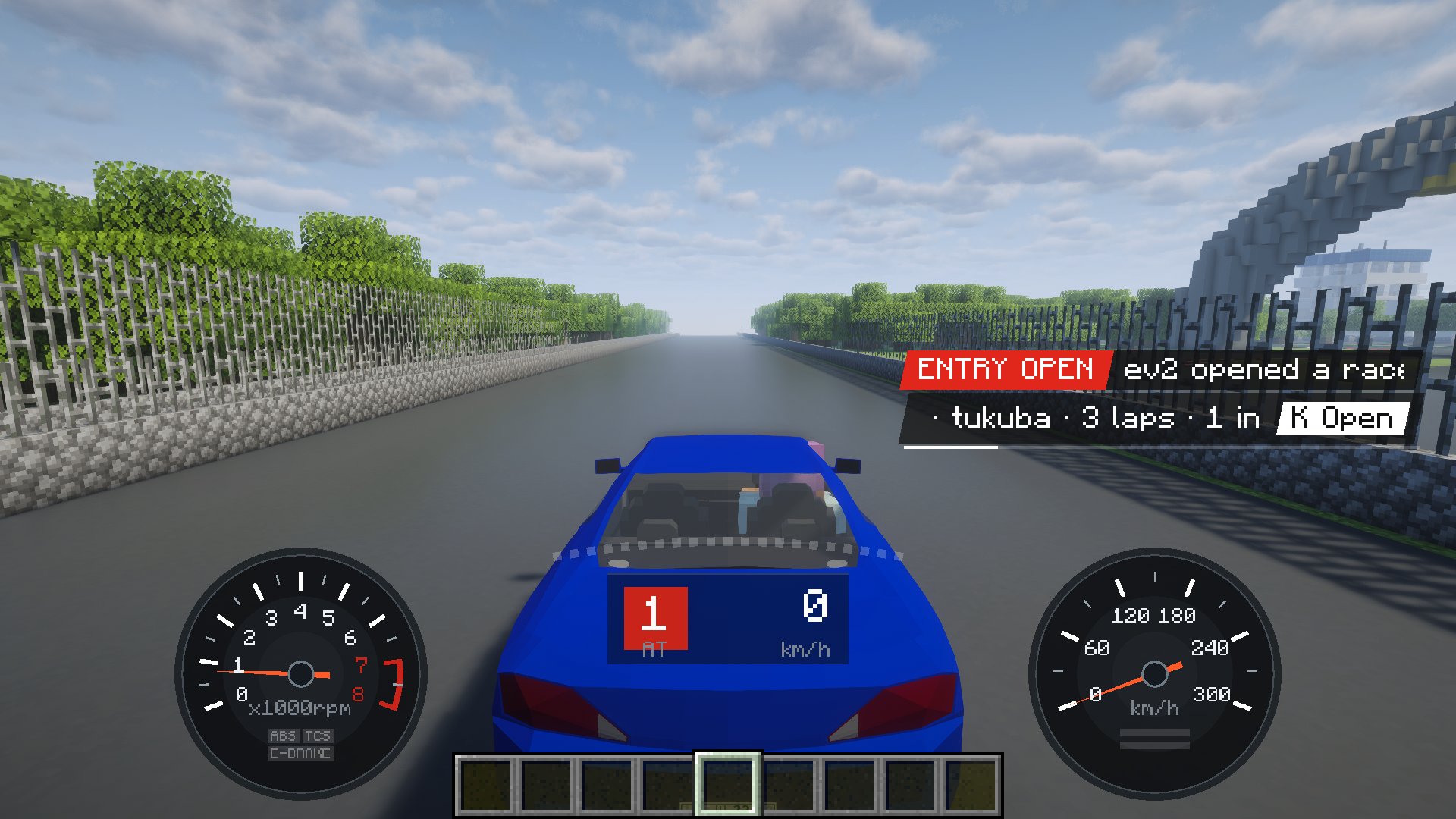
Press K. The race screen opens. Press Join.K を押すとレースの画面が開きます。「参加する」を押します。Pressing K alone does not enter you.K を押しただけでは、参加になりません。
Sit in the driver's seat of your car, and wait for the host to start.自分の車の運転席に乗って、主催者のスタートを待ちます。If your car breaks the rules, the screen shows what to fix on the G screen.車が決まりを破っていると、G の画面で直す所が出ます。
GOOD TO KNOW覚えておくこと
RELATED関連
Start and finishスタートとゴール
Five red lights come on one by one. When they all turn green and “GO!” shows, the race is on.赤い灯が 1 つずつ 5 つ点き、全部が緑に変わって「GO!」と出た瞬間がスタートです。
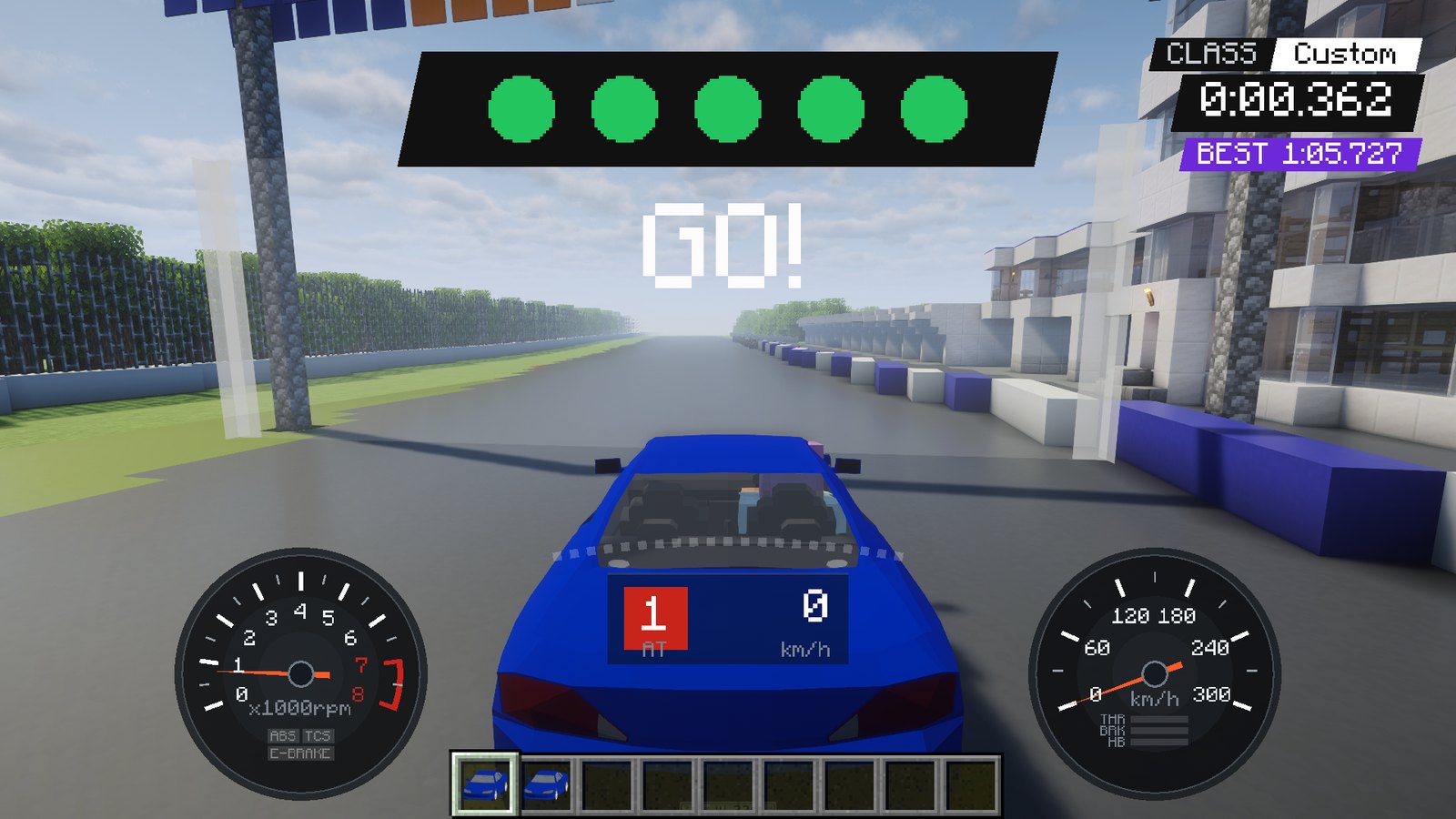
FROM START TO FINISHスタートからゴールまで
| When場面 | What happens起きること |
|---|---|
| Start lights信号 | One light per second, up to five. They turn green after a random 1.0 to 2.5 s. Your controls are locked until then.1 秒に 1 つ、5 つまで点く。そのあと 1.0〜2.5 秒のどこかで緑に変わる。変わるまで、運転の操作は効かない |
| During the race走行中 | The order is at the top left, with the gap to the leader. The clock and your best are at the top right.左上に順位と先頭との差。右上に時計とベスト |
| Final lap最終周 | A band announces the final lap最終周を知らせる帯が出る |
| Finishゴール | A band shows your place and time順位とタイムの帯が出る |
| Resultsリザルト | Once everyone is in, the results show for 15 s. Esc closes them.全員がそろうと、リザルトが 15 秒出る。Esc で閉じられる |
GOOD TO KNOW覚えておくこと
Retiring, disqualification and spectatingリタイア・失格・観戦
Getting out to right your car is fine. Staying out is not.車を立て直すために降りるのは大丈夫です。降りたままだとリタイアになります。
WHAT ENDS YOUR RACEレースが終わる条件
| What you didしたこと | Result結果 |
|---|---|
| Pressed Leave during the race走行中に「抜ける」を押した | Retiredリタイア |
| Stayed out of the car for 60 s降りたまま 60 秒たった | Retired. A countdown shows from 30 s. Getting back in resets it.リタイア。残り 30 秒から数字が出る。車に戻れば数え直し |
| Were not driving at the startスタートの瞬間に運転していなかった | Retiredリタイア |
| Logged out or changed dimension after the startスタートのあとにログアウトした・別の次元へ移った | Retiredリタイア |
| Changed to a car outside the rules決まりの外の車に乗り換えた | Disqualified失格 |
| Car broke the rules when the host pressed Startスタートが押された時点で、車が決まりを破っていた | Moved to spectating. You still see the lights, the order and the results.観戦に回る。信号・順位・リザルトは見られる |
GOOD TO KNOW覚えておくこと
Host a raceレースを開く
Anyone can host. Pick a course and the laps, set the rules, and start when everyone is in.レースは誰でも開けます。コースと周回数、決まりを選び、参加者がそろったらスタートします。
HOW TO OPEN開き方
STEPS手順
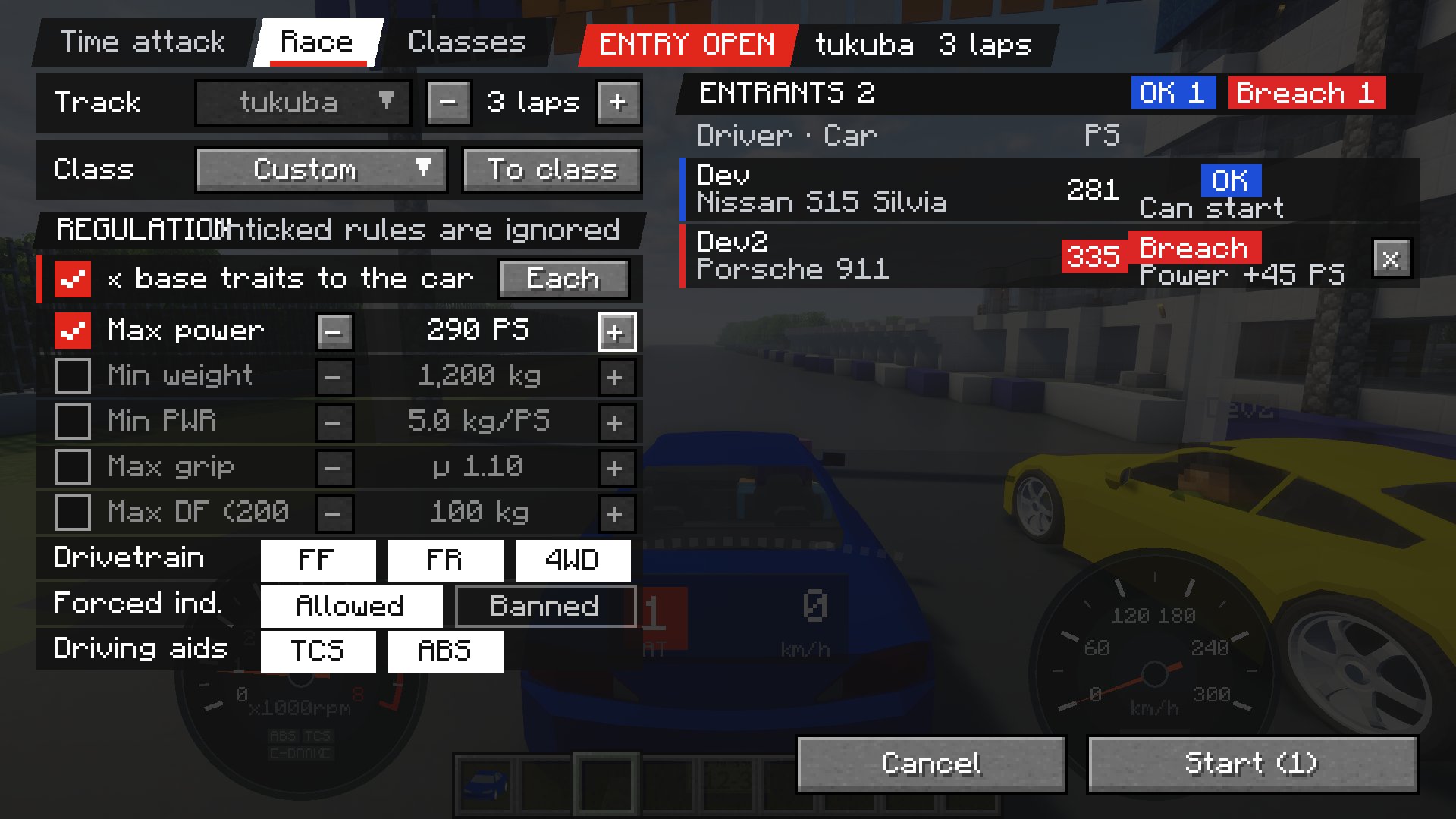
Choose the track and the number of laps.コースと周回数を選びます。
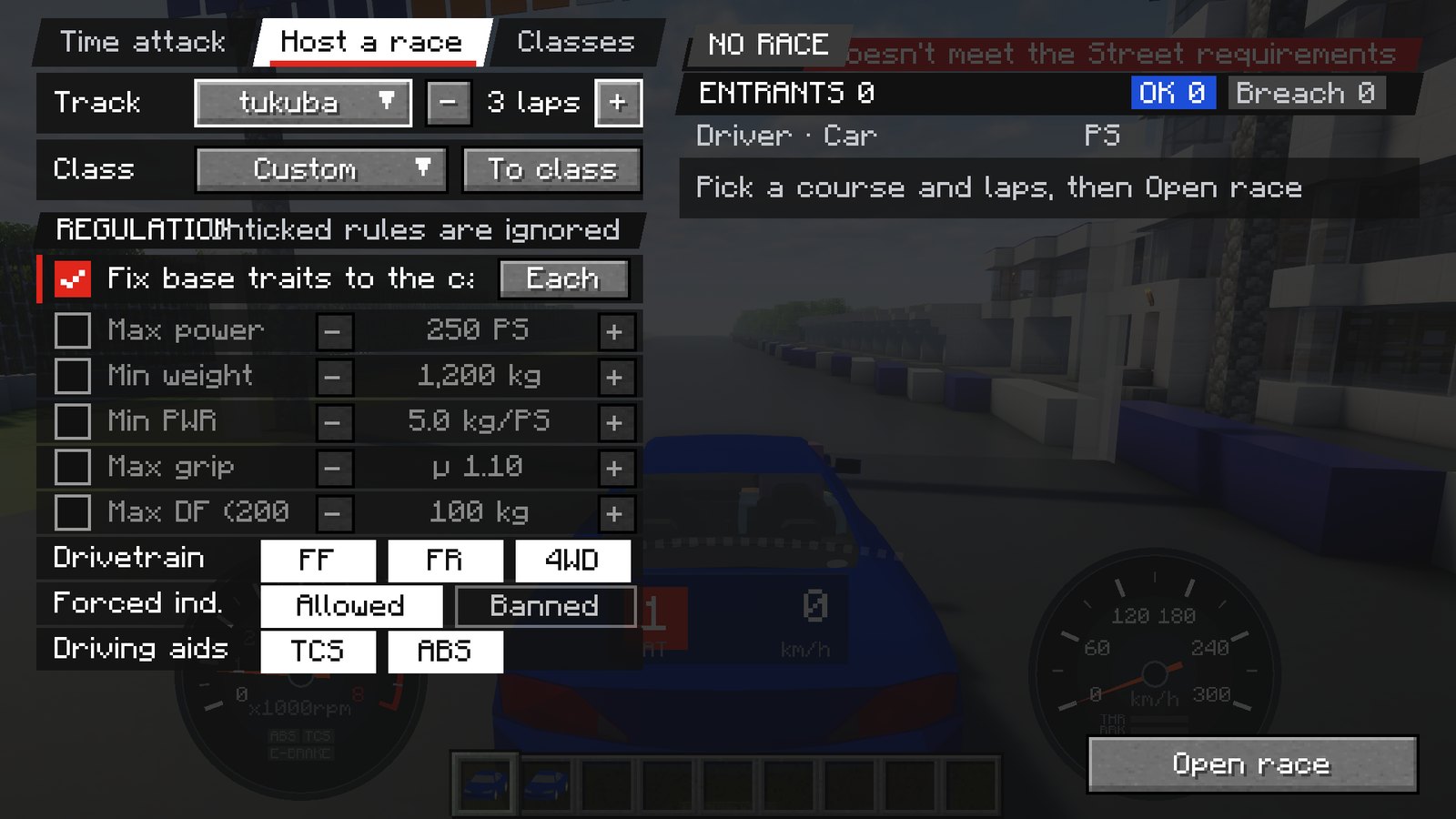
Set the rules, or load a class.決まりを決めるか、クラスを読み込みます。With no changes, only the car's basic dimensions and tyre character are fixed.何も変えなければ、車の寸法やタイヤの性質など、車の素性だけが固定されます。
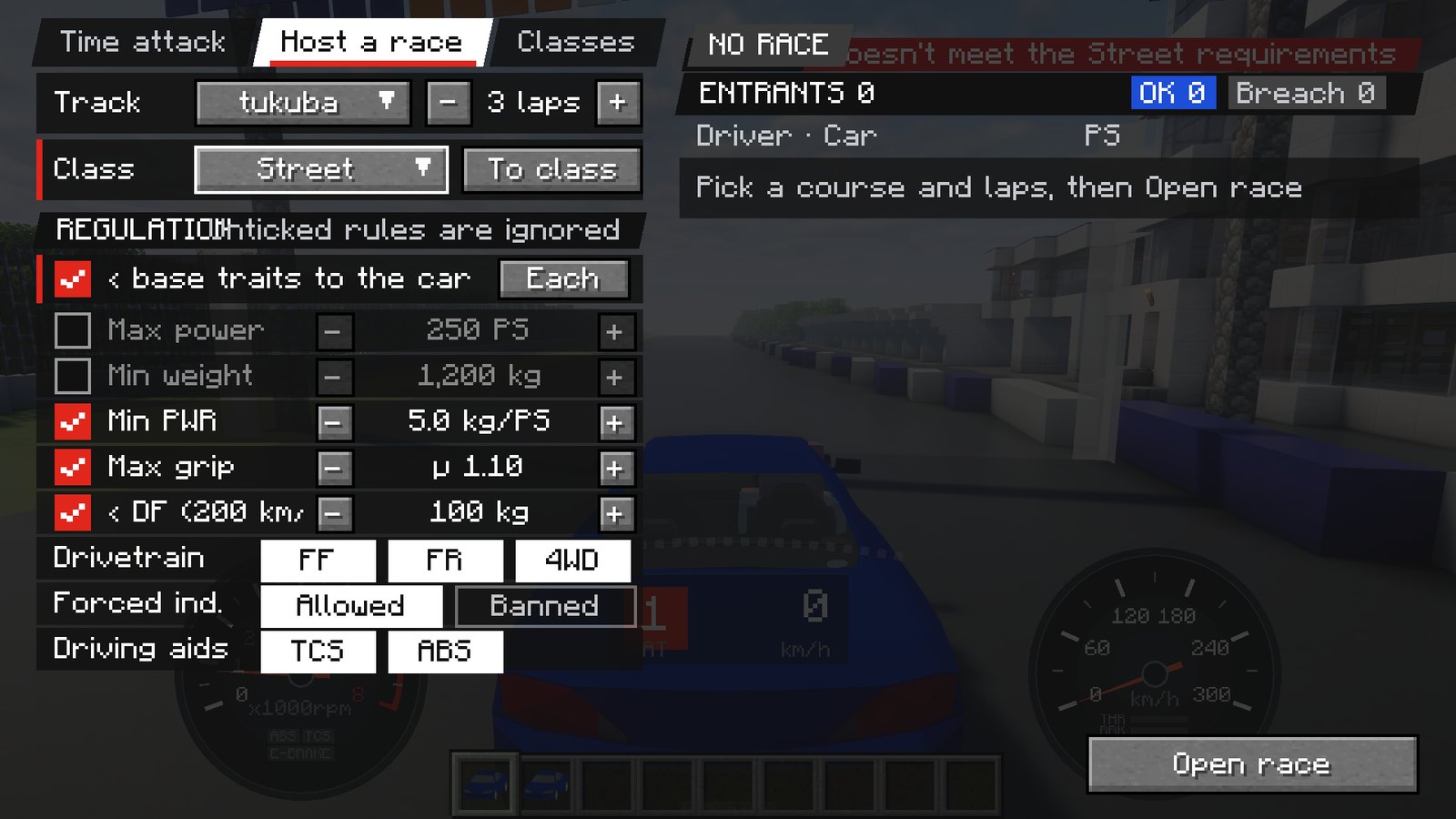
Press Open race. Everyone on the server gets the invitation.「レースを開く」を押します。サーバーの全員に案内が届きます。You are entered automatically.自分は自動で参加になります。
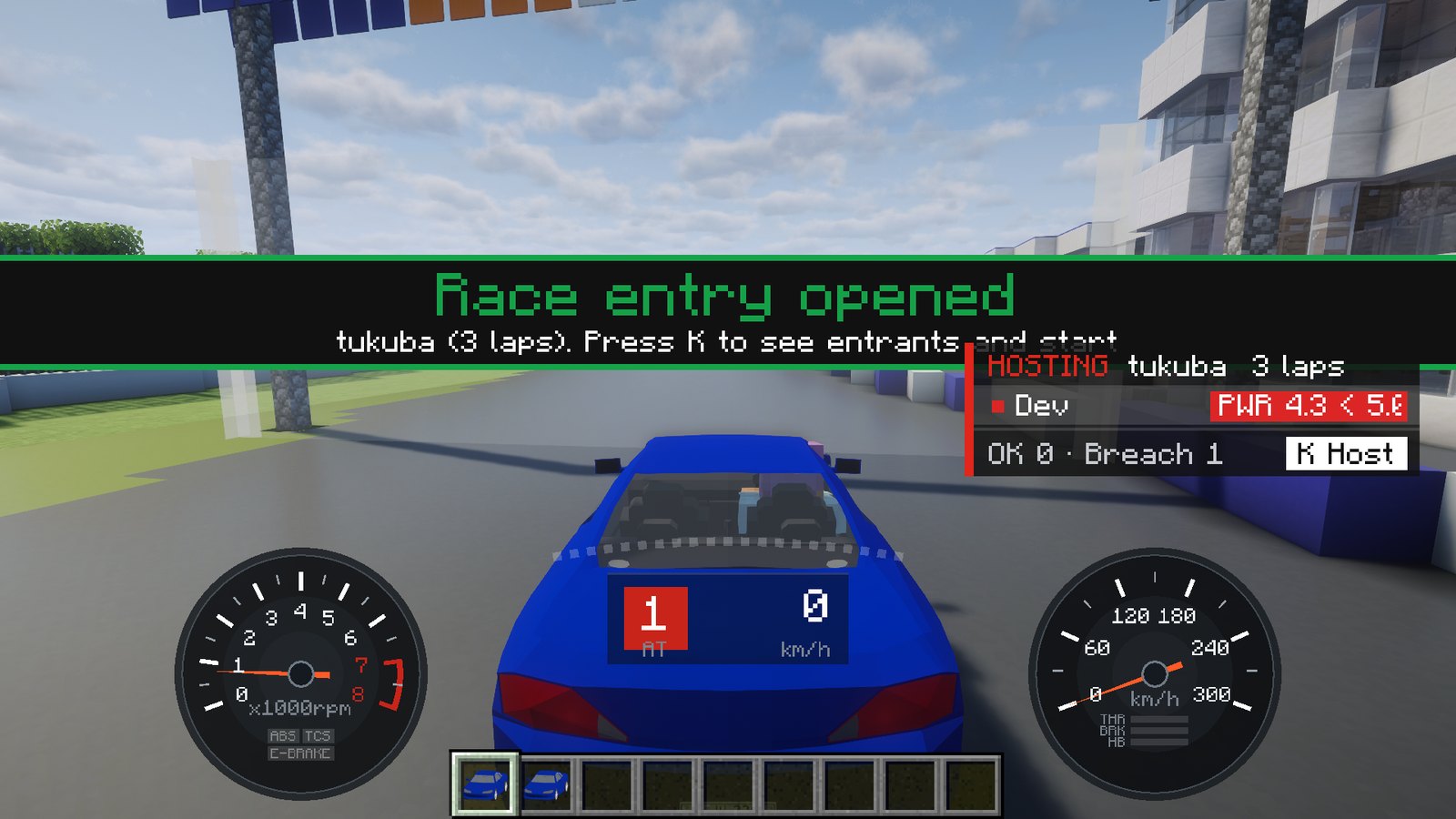
Watch the entry list on the right, then press Start.右の参加者の一覧を見て、「スタート」を押します。Each entrant shows as legal, in breach, or not in a car.参加者ごとに、適合・違反・未乗車が出ます。
GOOD TO KNOW覚えておくこと
RELATED関連
Regulationsレギュレーション
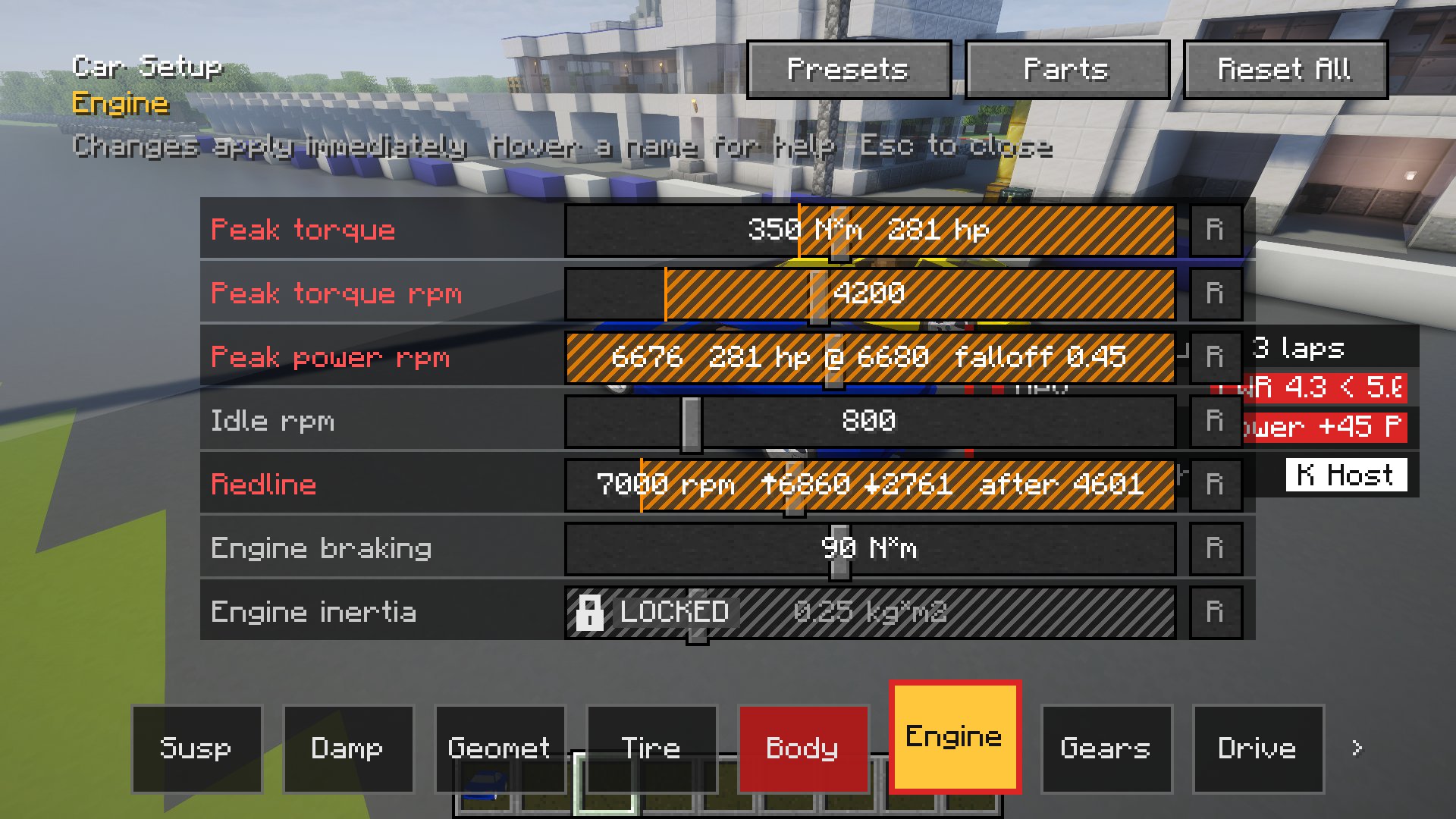
Rules that every car in a race or class must meet. They limit the Setup and Parts screens.レースやクラスで、すべての車が満たす決まりです。セッティングとパーツに制限が掛かります。
THE RULES決まりの項目
| Rule項目 | What it limits制限するもの |
|---|---|
| Fixed car basics車の素性を固定 | Dimensions, drivetrain efficiency, rolling resistance, drag, shift time, engine inertia and tyre character stay at the car model's values寸法・伝達効率・転がり抵抗・空気抵抗・変速の時間・エンジンの慣性・タイヤの性質を、車種の値に固定する |
| Power cap最高出力の上限 | Horsepower, including the turbo and parts馬力(ターボと部品込み) |
| Minimum weight車重の下限 | The car's mass車の重さ |
| Power-to-weightパワーウエイトレシオの下限 | Mass divided by power車重 ÷ 最高出力 |
| Grip capグリップの上限 | Grip on tarmac, including tyre parts舗装でのグリップ(タイヤの部品込み) |
| Downforce capダウンフォースの上限 | Front plus rear at 200 km/h, including aero parts200km/h での前後の合計(空力部品込み) |
| Drive layout駆動方式 | Which of FF, FR and 4WD are allowedFF・FR・4WD のうち、許されるもの |
| Forced induction過給機 | Whether a turbo may be fittedターボを付けてよいか |
| Driving aids運転補助 | Whether TCS and ABS are allowedTCS と ABS を使ってよいか |
GOOD TO KNOW覚えておくこと
RELATED関連
Course gatesコースのゲート
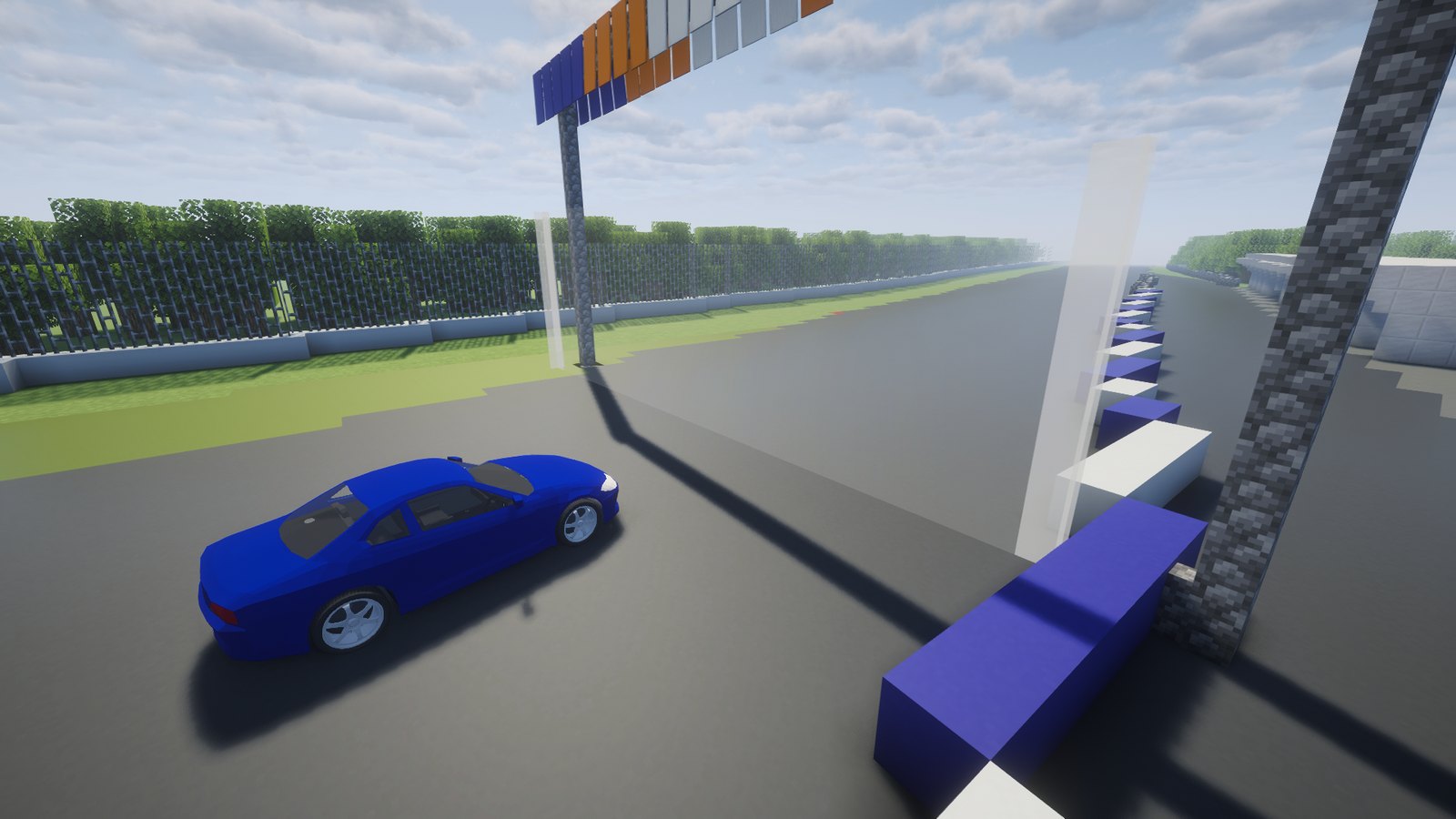
Start lines and checkpoints show as gates. You can thin them out or hide them.スタートラインとチェックポイントは、ゲートとして見えます。減らすことも消すこともできます。
HOW TO OPEN開き方
CHOICES選べる表示
| Choice選択 | What you see見えるもの |
|---|---|
| Fullフル | The posts and the plane between them柱と、その間の面 |
| Posts onlyポールのみ | Just the posts柱だけ |
| Hidden非表示 | Nothing何も出さない |