KURUMA
Downloadダウンロード
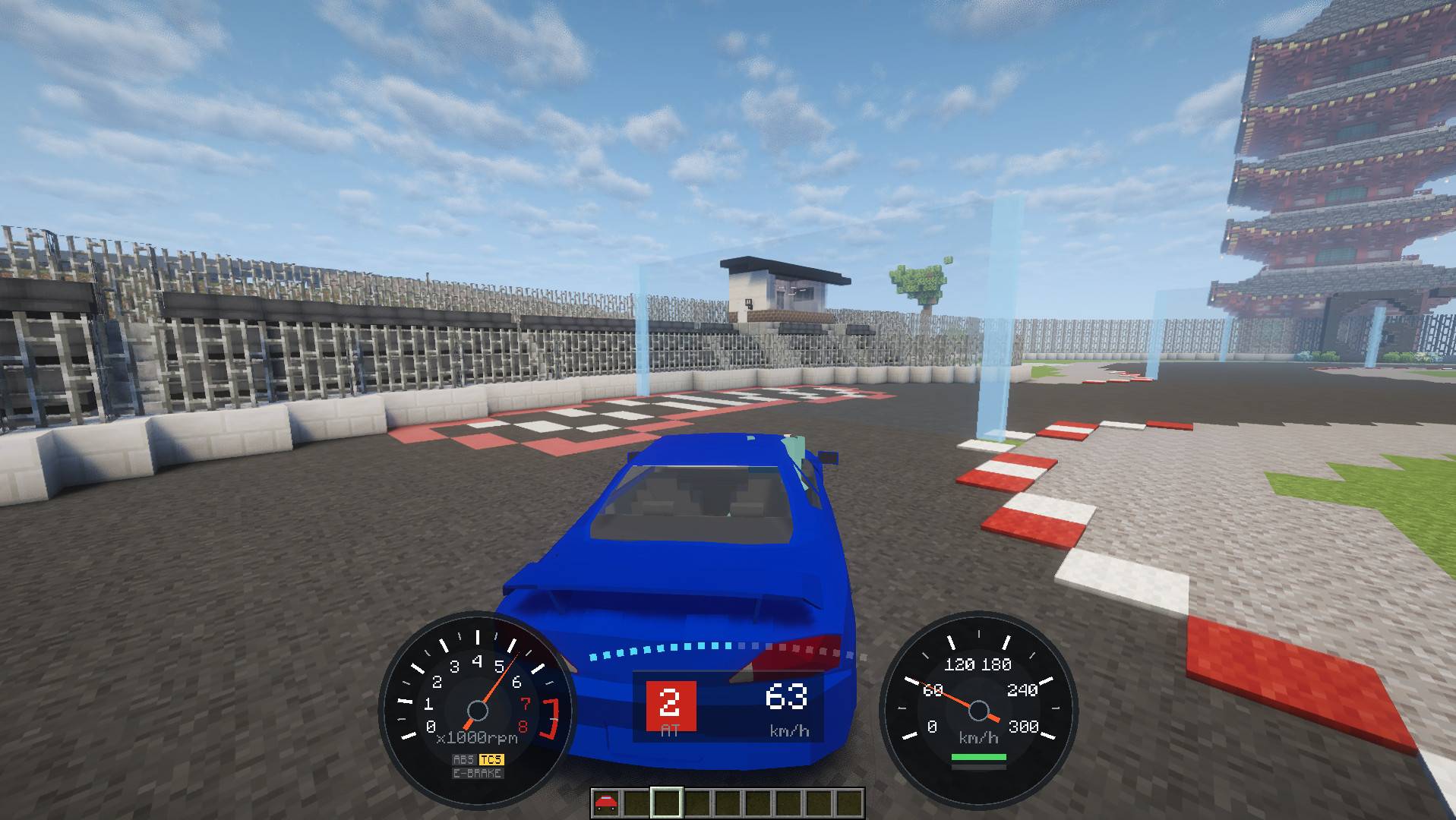
Silvia S15 on the start line
KurumaMod / Get startedはじめかた

Get started

From download to driving in four steps.ダウンロードから走り出すまで、4 ステップ。

Downloadダウンロード

Pick your loader.ローダーを選ぶ。

Every version is on the same page. Forge and NeoForge need no other mods; Fabric needs Fabric API.どの版も同じページから。Forge と NeoForge は前提 MOD がいりません。Fabric は Fabric API が必要です。

MinecraftForgeNeoForgeFabric
1.20.1Supported対応47.4.22 or later47.4.22 以上——
1.21.1—Supported対応21.1 or later21.1 以上Supported対応Loader 0.16.14 or later + Fabric APILoader 0.16.14 以上 + Fabric API
26.3Supported対応66.1.5 or later66.1.5 以上Supported対応26.3.0.101 or later26.3.0.101 以上Supported対応Loader 0.20.1 or later + Fabric APILoader 0.20.1 以上 + Fabric API

Using shader packs? See theシェーダーパックを使う方は shader pack pageシェーダーのページ.へ。

Car packsカーパック

Add car packs.カーパックを追加する。

One car pack jar works on every version and loader.カーパックは 1 つの jar で、どの版・どのローダーでも動きます。

Car packカーパックForgeNeoForgeFabric
Basic Car PackSupported対応1.20.1 / 26.3Supported対応1.21.1 / 26.3Supported対応1.21.1 / 26.3
Example Car PackSupported対応1.20.1 / 26.3Supported対応1.21.1 / 26.3Supported対応1.21.1 / 26.3

Community car packsコミュニティのカーパック

Car packs made by players. Check each page for supported versions.プレイヤーが作ったカーパックです。対応する版は、それぞれのページで確かめてください。

Installインストール

Four steps to the driver's seat.4 ステップで、運転席へ。

  1. Put KurumaMod in mods/KurumaMod を mods に入れる

    Add the Basic Car Pack too if you want the 911 and the Prado.911 とプラドに乗るなら、Basic Car Pack も一緒に。

  2. Open the KurumaMod tabKurumaMod タブを開く

    Each car has its own item in the creative inventory.クリエイティブインベントリに、車種ごとのアイテムが並びます。

  3. Place it and get in置いて、乗る

    Right-click the ground to place it, then right-click the car to get in.地面を右クリックで置き、車を右クリックで乗ります。

  4. Drive!走る!

    Seats two, and whoever gets in first drives. Shift + attack picks the car up with its setup.2 人乗りで、先に乗った方が運転。Shift + 殴るで、セッティングごと回収できます。

Controls操作

The keys you need.覚えるキーはこれだけ。

WSThrottle / brakeアクセル/ブレーキ
ADSteerステアリング
SpaceHandbrakeサイドブレーキ
RFShift up / down (manual)シフトアップ/ダウン(MT)
ShiftGet out降りる
GSetup, presets and partsセッティング・プリセット・パーツ
HMod menu (display and camera)MOD メニュー(表示とカメラ)
VCamera modeカメラモード
PgUpPgDnCamera distanceカメラの距離
LHeadlightsヘッドライト
Ctrl+LHeadlight settingsヘッドライトの調整
KRace: join, host, race infoレース(参加・主催・レースの画面)
JController setupコントローラ設定
Racingレース

Racing: the basicsレースの基本

Server settings are in config/kurumamod-common.toml (abandoned car cleanup, car-to-car collisions).サーバーの設定は config/kurumamod-common.toml にあります(放置車両の削除、車同士の当たり判定)。

Build a course (OP)コースを作る(OP)
Mark both ends of each line with /kuruma-admin point. Face the racing direction and run /kuruma-admin course create <name>, then add checkpoints in order with /kuruma-admin course checkpoint <name>.各ラインの両端を /kuruma-admin point で指定し、走る向きを向いて /kuruma-admin course create <名前>。続けてチェックポイントを通る順に /kuruma-admin course checkpoint <名前>。
Time attackタイムアタック
Drive across a start line for a warm-up lap. Timing starts the next time you cross it. Pick a class with K if you like.スタートラインを越えるとウォームアップの 1 周、次に越えたところから計測。クラスで走るなら K で選びます。
Raceレース
Press K and open a race from the Host a race tab. Others press K when the invite appears and press Join. The host presses Start. How racing worksK の「レースを開く」のタブでレースを開く → 参加の案内が出たら参加者も K を押して「参加する」 → 主催者が「スタート」。レースの詳しい説明
Records記録
Press K. The Time attack tab shows the rankings for each track.K のタイムアタックのタブで、トラックごとのランキングを見られます。
Videos, modpacks and license動画・モッドパック・ライセンス

Go ahead and share it.どんどん使ってください。

Videos and streams動画・配信
Feel free. Just put a link to the mod page in the description. No need to ask.ご自由にどうぞ。概要欄に MOD のページへのリンクを貼ってもらえれば、許可は不要です。
Modpacksモッドパック
Welcome. Please add it as a CurseForge / Modrinth dependency instead of bundling the jar, so players always get the latest version.歓迎です。jar を同梱するより CurseForge/Modrinth の依存として追加してもらえると、いつも最新版が届きます。
Licenseライセンス
Free software under the GNU General Public License v3.0 only (GPL-3.0-only).GNU General Public License v3.0 only(GPL-3.0-only)のフリーソフトウェアです。
Make your own cars自分の車を作る
Follow the car pack guide and start from the Example Car Pack. No coding, and no credit required.カーパック作成ガイドを見ながら、Example Car Pack をひな型に。コードは不要、クレジット表記も不要です。

Questions? Ask on Discord.困ったら Discord へ。

Bug reports, setups and new car packs all land there first.不具合の報告も、セッティングの共有も、新しいカーパックの話題も、まずはここで。