What to install入れるもの
KurumaMod and the car packs go on both the server and every player's game.KurumaMod とカーパックは、サーバーと、参加する全員のゲームの両方に入れます。
WHERE EACH THING GOESどこに入れるか
| What入れるもの | Serverサーバー | Playersプレイヤー | Why理由 |
|---|---|---|---|
| KurumaMod | Yes要る | Yes要る | Versions must match, or the connection is refused版が違うと、接続の時点で弾かれる |
| Car packsカーパック | Yes要る | Yes要る | The server reads how cars drive. Players' games read how they look.サーバーは車の走りを読み、プレイヤーのゲームは見た目を読む |
| Fabric API | On FabricFabric のとき | On FabricFabric のとき | Required by the Fabric versionFabric 版に必要 |
GOOD TO KNOW覚えておくこと
RELATED関連
Build a courseコースを作る
A course is a start line plus checkpoints. An operator marks each line by standing at its two ends.コースは、スタートラインとチェックポイントでできています。管理者が、線の両端に立って印を付けます。
STEPS手順
Stand at one end of the start line and run
/kuruma-admin point.スタートラインの片方の端に立って/kuruma-admin pointを打ちます。The chat shows point A and asks you to go to the other end.チャットに点 A が出て、もう片方の端へ行くよう案内されます。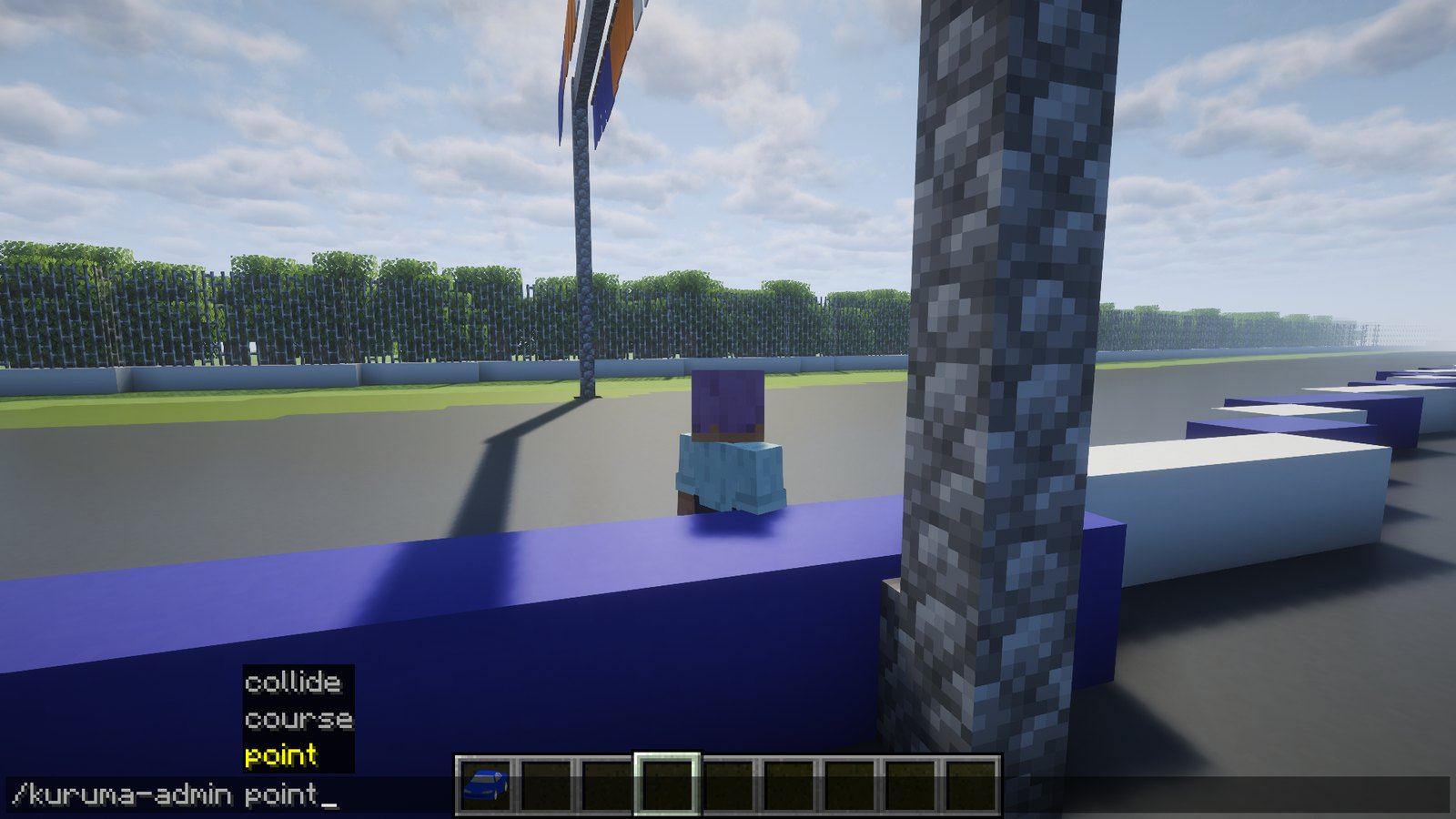
Walk to the other end of the line and run
/kuruma-admin pointagain.線のもう片方の端まで歩き、もう一度/kuruma-admin pointを打ちます。The chat shows point B and the length of the line.チャットに点 B と、線の長さが出ます。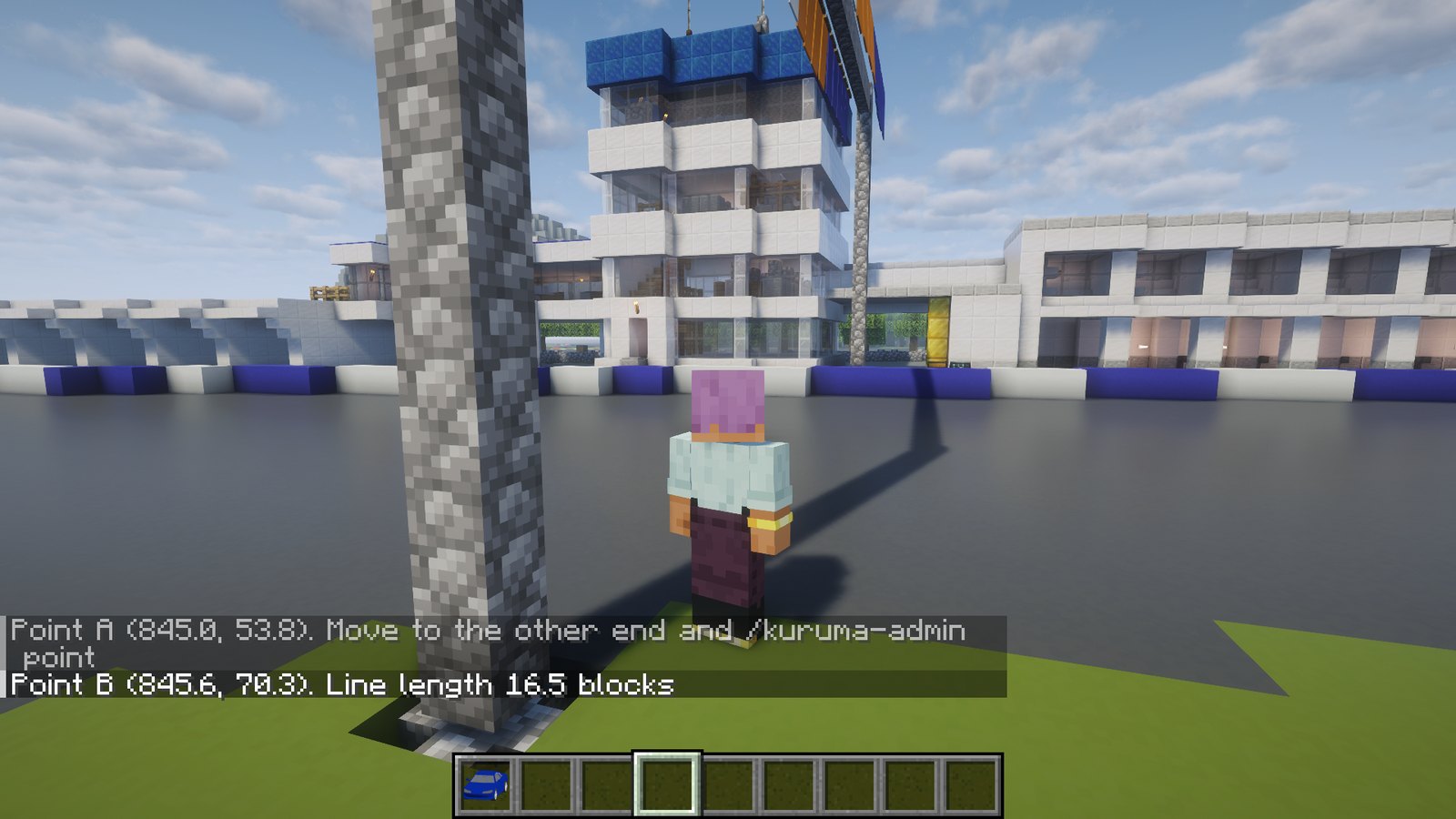
Face the way cars will drive, and run
/kuruma-admin course create <name>.車が走る向きを向いて、/kuruma-admin course create <名前>を打ちます。The way you are looking becomes the direction of the line.そのとき向いている方向が、線を通る向きになります。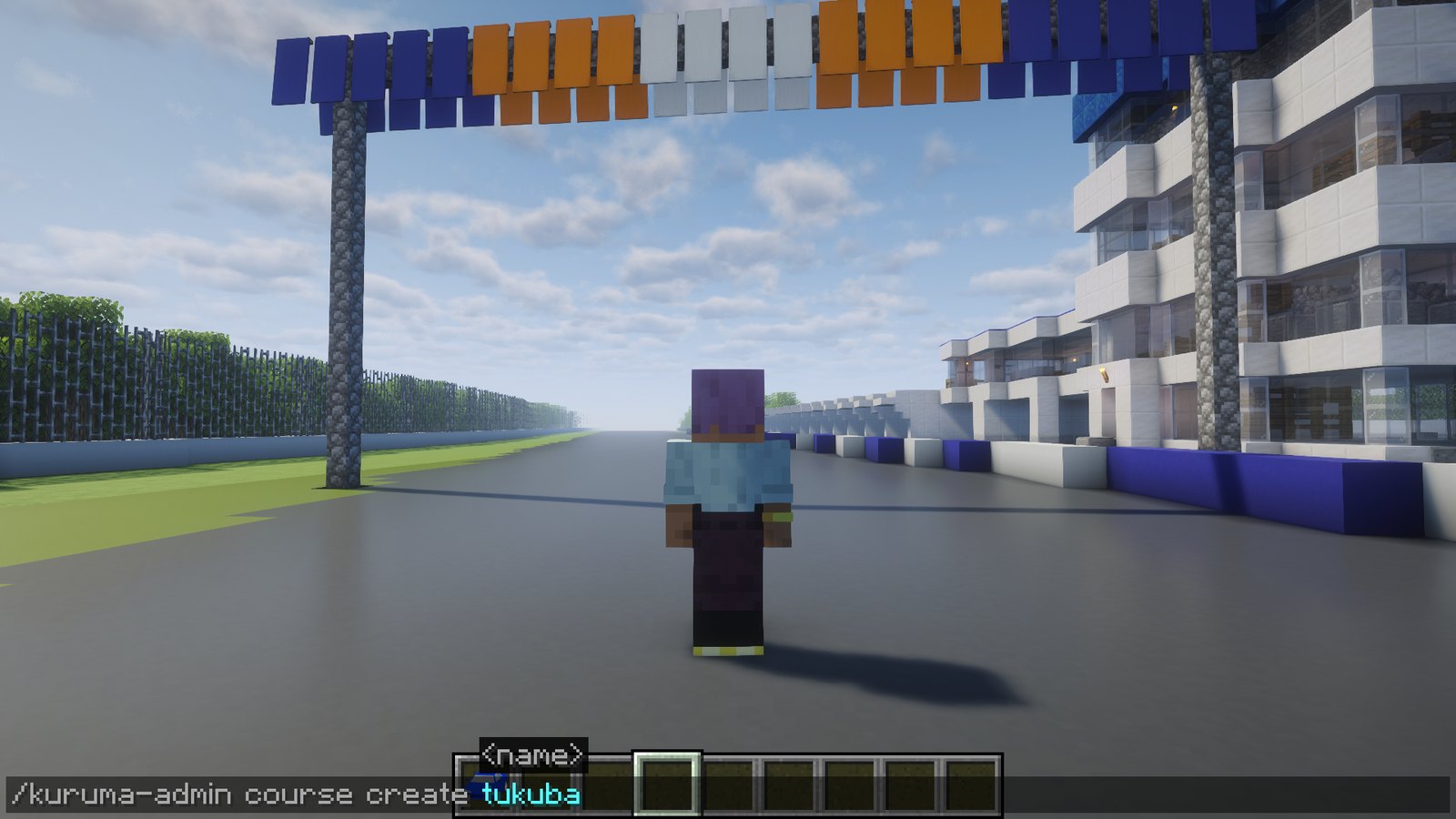
COMMANDSコマンド
| Commandコマンド | What it doesすること |
|---|---|
/kuruma-admin point | Marks one end of a line where you stand立っている場所を、線の端として印を付ける |
course create <name>course create <名前> | Creates the course with its start line. On an existing name it redraws the line and removes all checkpoints.スタートラインと一緒にコースを作る。すでにある名前なら線を引き直し、チェックポイントは全部消える |
course checkpoint <name>course checkpoint <名前> | Adds a checkpoint at the endチェックポイントを末尾に足す |
course direction <name>course direction <名前> | Sets the start line's direction to where you are lookingスタートラインを通る向きを、いま向いている方向に直す |
course laps <name> <1-99>course laps <名前> <1〜99> | Sets the default number of laps for races. It starts at 3.レースの初期の周回数を決める。最初は 3 |
course remove <name>course remove <名前> | Deletes the courseコースを消す |
course list | Lists the courses with their laps and checkpointsコースの一覧(周回数とチェックポイントの数)を出す |
All of these need operator permission. The course commands start with /kuruma-admin.どれも管理者(OP)の権限が要ります。course のコマンドは、頭に /kuruma-admin を付けます。
GOOD TO KNOW覚えておくこと
RELATED関連
Add checkpointsチェックポイントを追加する
Checkpoints are lines a lap must pass, in order. They stop drivers from cutting the course.チェックポイントは、1 周の間に順に通らなければならない線です。コースのショートカットを防ぎます。
STEPS手順
Stand at one end of the checkpoint line and run
/kuruma-admin point.チェックポイントにする線の片方の端に立って/kuruma-admin pointを打ちます。Walk to the other end and run
/kuruma-admin pointagain.もう片方の端まで歩き、もう一度/kuruma-admin pointを打ちます。Run
/kuruma-admin course checkpoint <name>./kuruma-admin course checkpoint <名前>を打ちます。The chat says which number the checkpoint got. Repeat for the next one.何番目のチェックポイントになったかがチャットに出ます。次のチェックポイントも同じように追加します。
GOOD TO KNOW覚えておくこと
course create again with the same name. It redraws the start line and removes every checkpoint.チェックポイントをやり直すときは、同じ名前でもう一度 course create を打ちます。スタートラインを引き直し、チェックポイントは全部消えます。RELATED関連
Car-to-car collisions車同士の当たり
Cars collide by default. An operator can switch that off for the whole server.初期設定では、車同士が当たります。管理者は、サーバー全体でこれを切れます。
COMMANDコマンド
| Commandコマンド | What it doesすること |
|---|---|
/kuruma-admin collide | Shows the current settingいまの設定を出す |
/kuruma-admin collide false | Cars pass through each other車同士がすり抜ける |
/kuruma-admin collide true | Cars collide車同士が当たる |
GOOD TO KNOW覚えておくこと
Server settingsサーバーの設定
Two settings live in config/kurumamod-common.toml on the server.サーバーの config/kurumamod-common.toml に、設定が 2 つあります。
SETTINGS項目
| Keyキー | Default初期 | What it doesすること |
|---|---|---|
abandonedCarLifetimeSeconds | 600 | Seconds before a car nobody rides is removed. 0 never removes cars. Up to 86400.誰も乗っていない車を消すまでの秒数。0 で消さない。上限は 86400 |
carCollision | true | Whether cars collide. The collide command changes it too.車同士が当たるか。collide のコマンドでも変わる |
GOOD TO KNOW覚えておくこと
Records and classes記録とクラス
Courses, lap records and classes are saved with the world. Operators manage them from the K screen.コース・記録・クラスは、ワールドと一緒に保存されます。管理者は K の画面から管理します。
WHAT AN OPERATOR CAN DO管理者ができること
| Taskしたいこと | Howやり方 |
|---|---|
| Delete one record記録を 1 件消す | K › Time attack, press × on the row, then press it againK › 「タイムアタック」で、行の × を押し、もう一度押す |
| Delete a course's recordsコースの記録を全部消す | Redraw the course's line, or remove the courseコースの線を引き直すか、コースを消す |
| Make a classクラスを作る | K › Classes. The tab shows for operators only.K › 「クラス」。このタブは管理者にだけ出る |
| Change or delete a classクラスを変える・消す | On the same tab. This deletes that class's records for everyone, and asks twice.同じタブから。そのクラスの記録が全員ぶん消えるので、確認が 2 回出る |
| End a race whose host left主催者がいなくなったレースを終える | K, then End on the race screenK を押し、レースの画面の「終える」 |
GOOD TO KNOW覚えておくこと
RELATED関連
Good to tell your playersプレイヤーに伝えておくこと
A few rules of the mod that surprise people on a shared server.みんなで遊ぶサーバーで、知らないと驚く決まりです。